1Step 1
You get an app of your own
A site and an app with your studio's name and address, set up for you. It is yours from your first sign-in — not a page on somebody else's marketplace.
For coaches, teachers and studios
A site and an app with your name on it, for everybody who trains with you — recorded courses, live classes and a studio door. Set up for you and yours from the first time you sign in; nothing about code or servers ever reaches you.
Whoever sets it up gets back in only while you let them — and you see every page they changed.
Start here
If you teach classes or courses that people come back to — strength, yoga, dance, pilates — this is the app they open to join, book, pay and turn up. It works like this.
Drawn from the app itself, a minute or so each, with sound: what it is, what your members see, an ordinary day of yours — and teaching online, keeping them coming back, and running your studio beyond the classes.
Your own app, your name on it, what you sell and how you're paid — the whole idea, from the start.
What the people who train with you see — from your link in their WhatsApp to their badges.
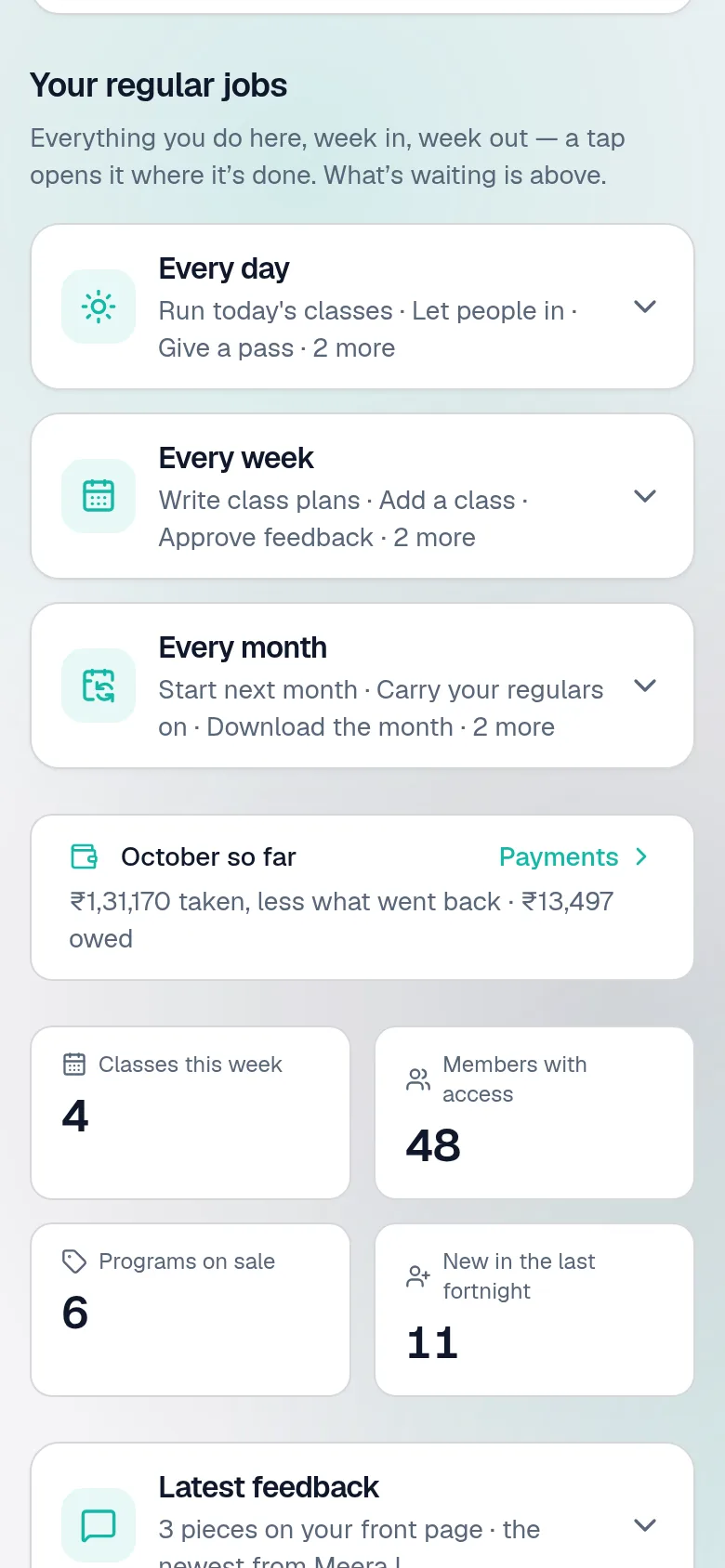
Fourteen things you do every day, from the morning's classes to next month's batch.
Live classes and recorded lessons: Zoom once, a link for each batch, recordings that arrive by themselves, video at cost.
Knowing each member, cheering the ones on a run, calling the ones who've gone quiet — and passes running out, reminded.
Beyond the classes: your team and what they're paid, contracts, your terms, the bills — and who else can get in.
For your business
Online through your own Razorpay — UPI or card, straight to your account — or cash and UPI at the door. Every sum on a numbered receipt, every month a download for your accountant.
See a payment, both sidesThey book their usual class once and see the places left. You see who is coming, in the room and online — and the message to all of them is written for you.
See a booking, both sidesNext month's batch with everybody carried on, in two presses. Whoever pays later keeps their place while the money comes in — and you see who said they've paid.
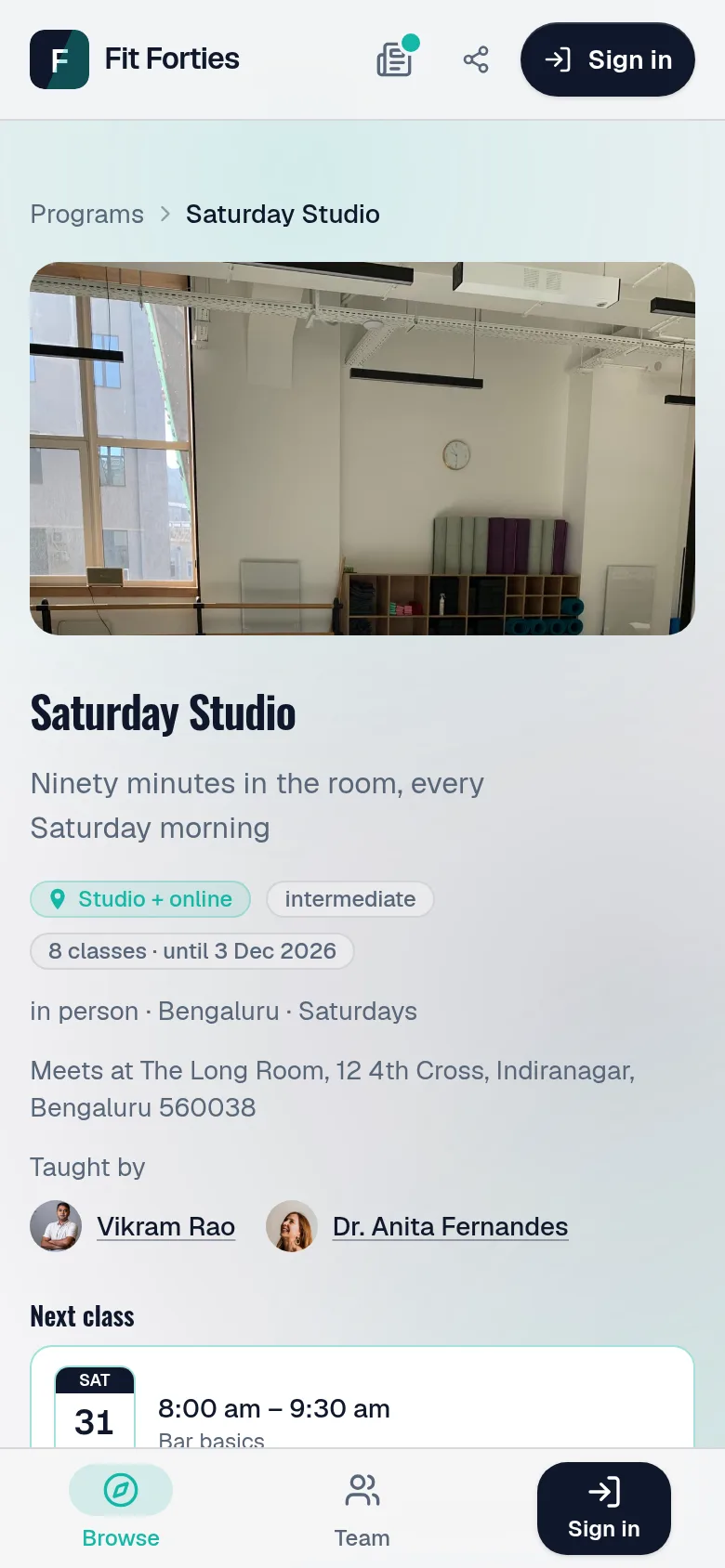
See next month, both sidesYour own site and app — your name, icon, colours and address — installed from your site, no app store. Your members are yours, on nobody's marketplace.
See somebody join, both sidesBetween you and them
Running a studio is a conversation: somebody asks, books, turns up, pays and comes back. Here is each of those moments as they see it and as you do — the real screens, from the demo studio.
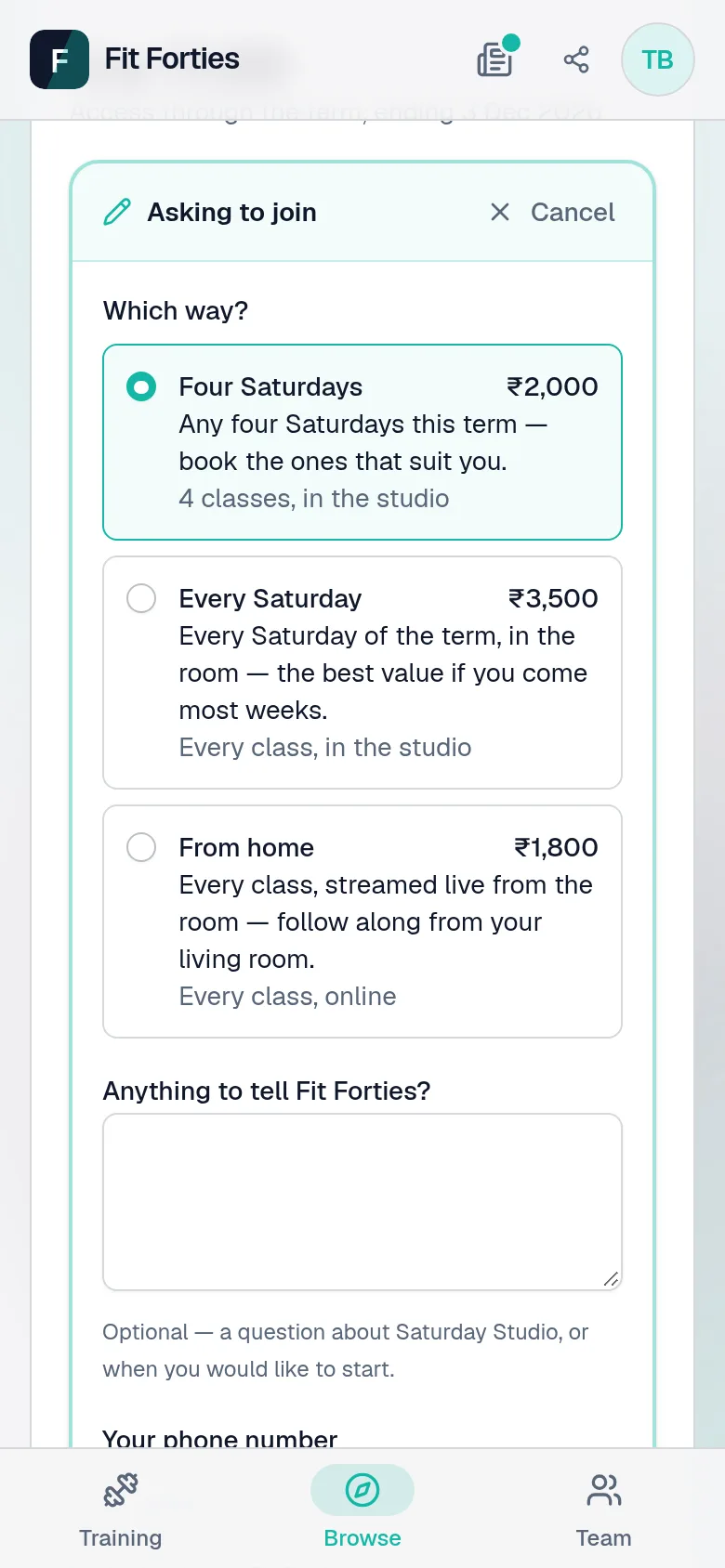
ThemOn your site, they choose a way in — four Saturdays, every Saturday, from home — and say how they paid, with a photo of the receipt if they like.
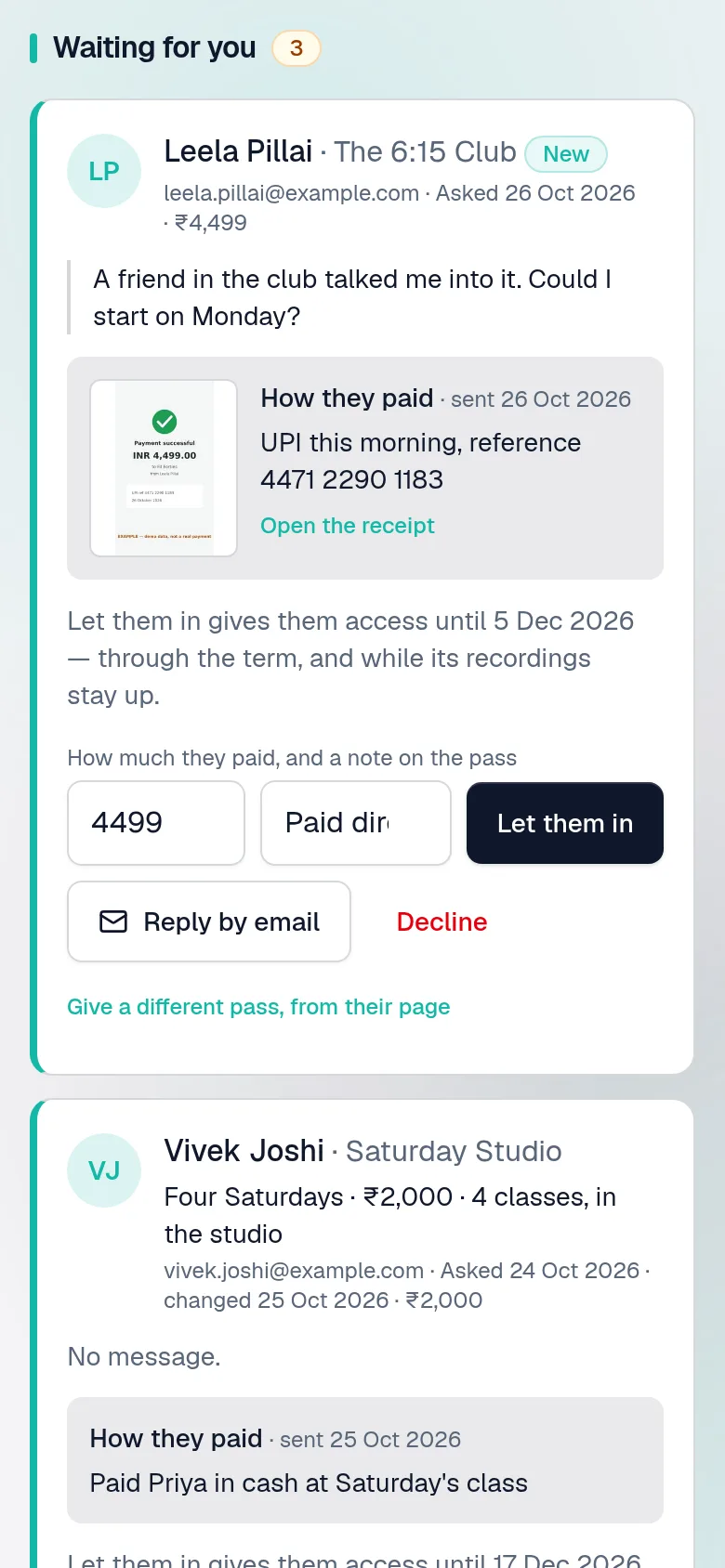
YouIt waits under Requests, receipt and all. Let them in is one press, and Tell them they're in is written, ready to send from your WhatsApp.
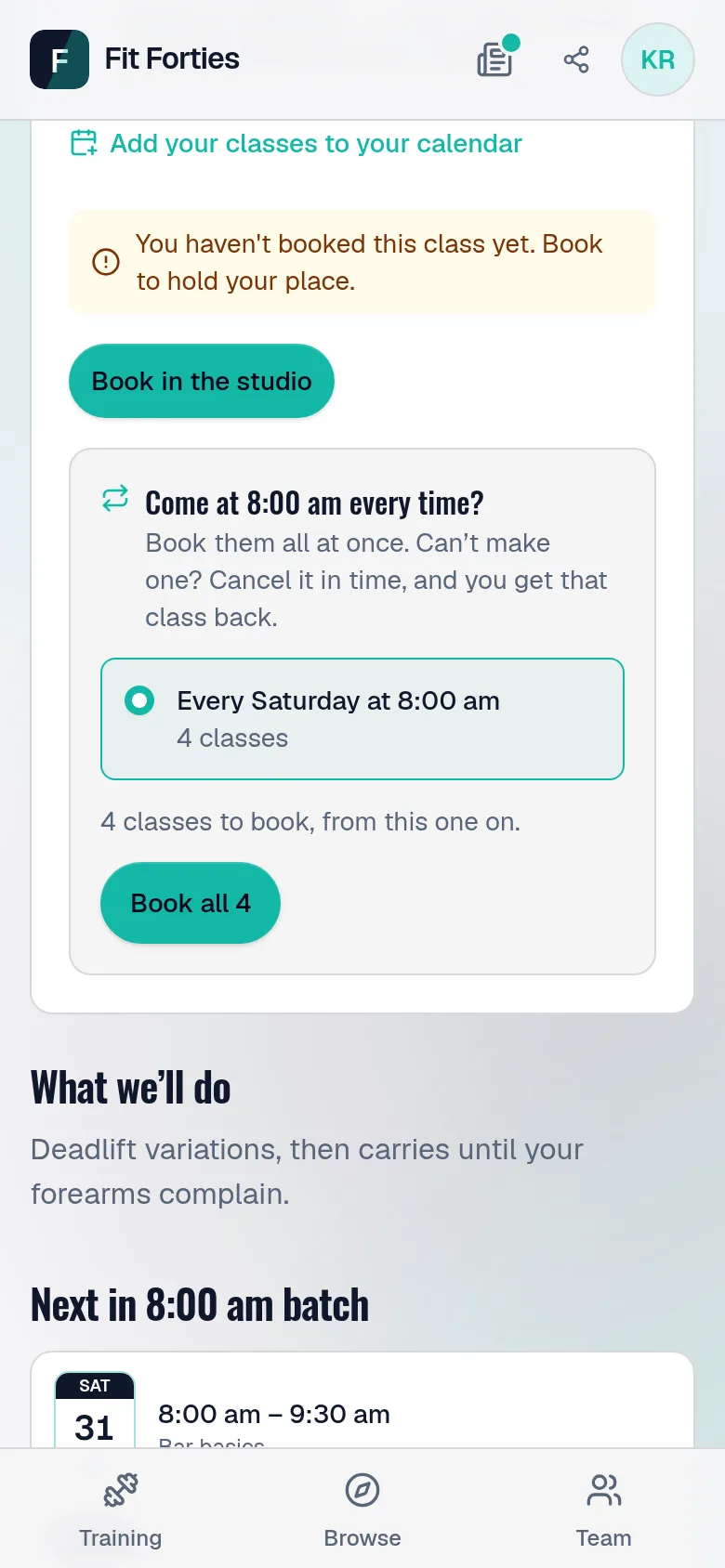
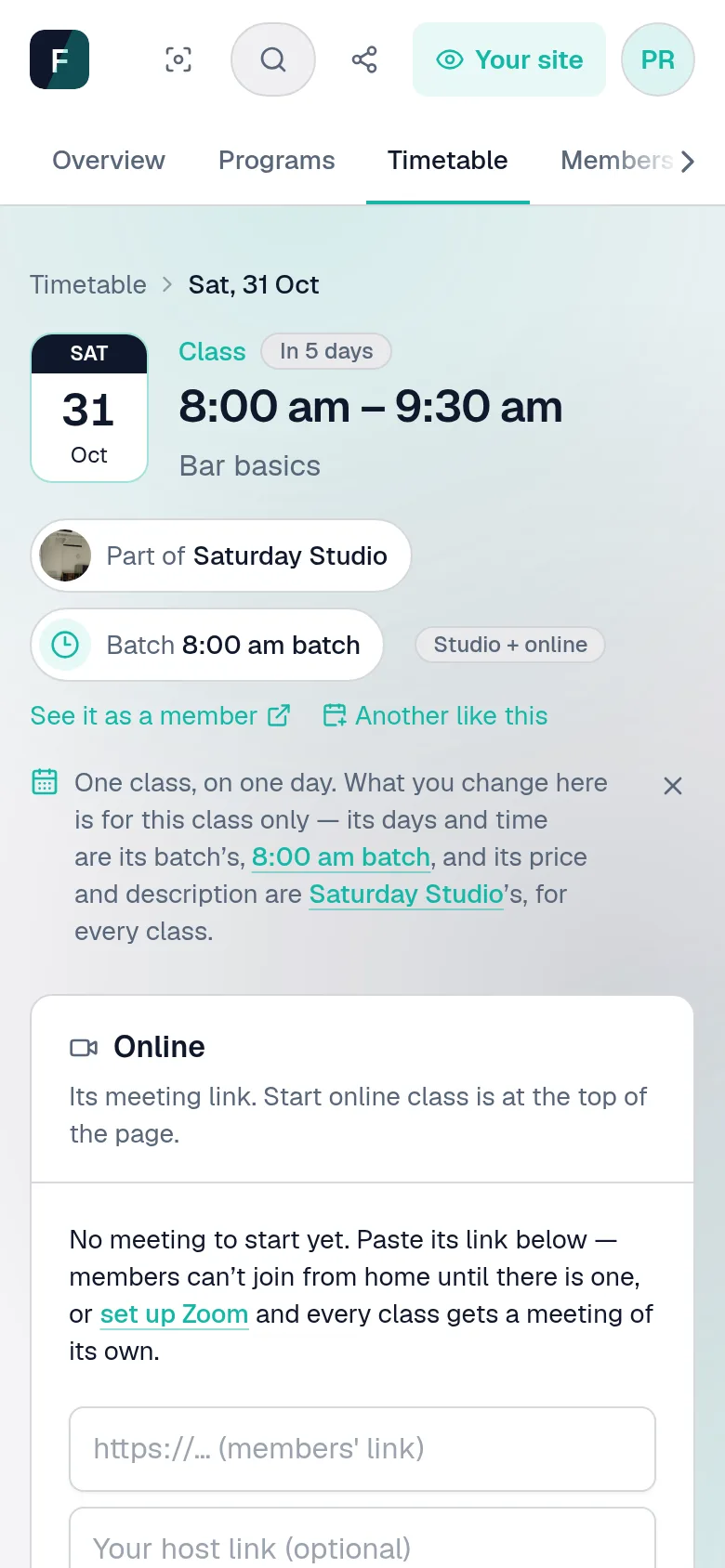
Them“Every Saturday at 8, please.” One press books every class at that time until their plan runs out — skipping any that are full.
YouEach class counts who has booked, in the room and online, and the places left — and tells anybody still deciding when only two are.
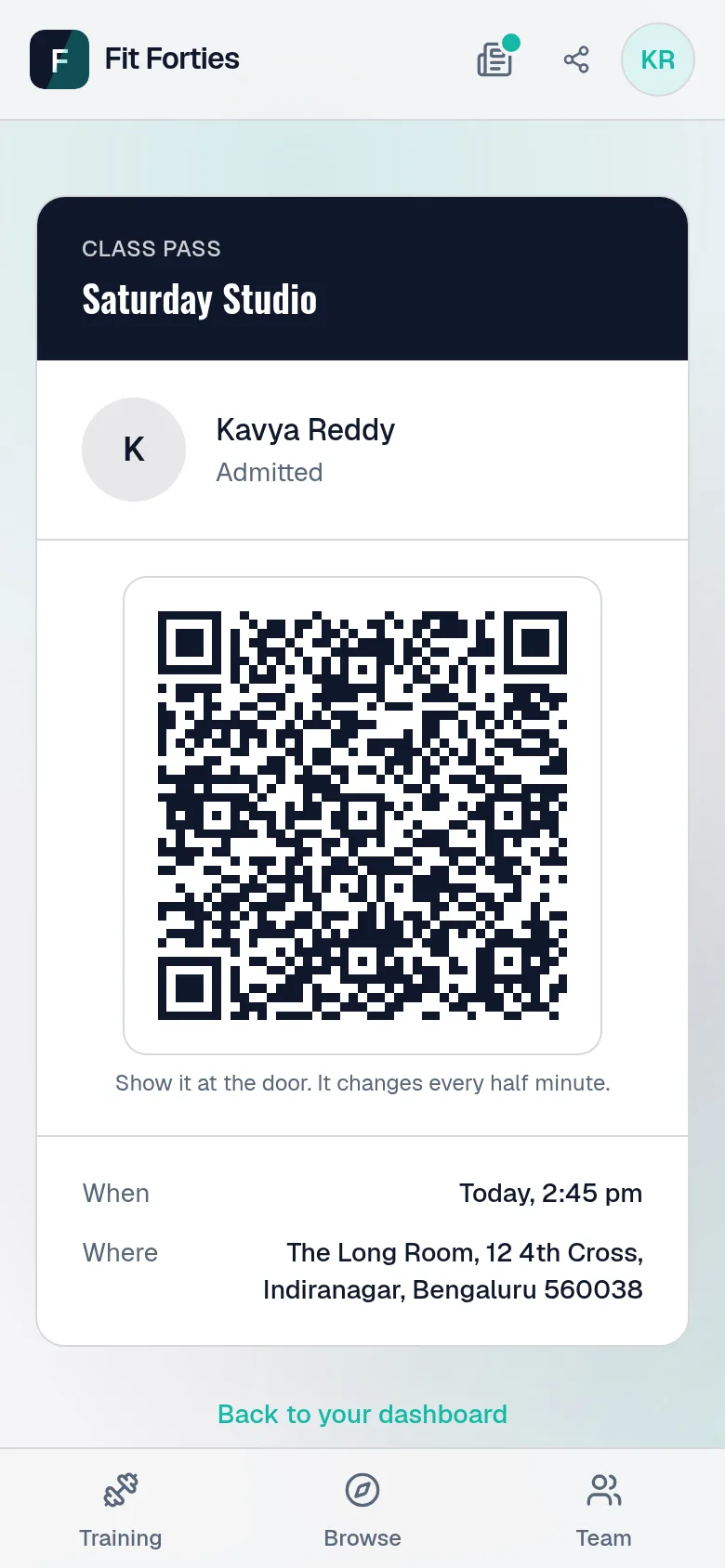
ThemTheir pass is on their phone — in the app, or on a link of their own if they don't use Google — its code changing every half minute.
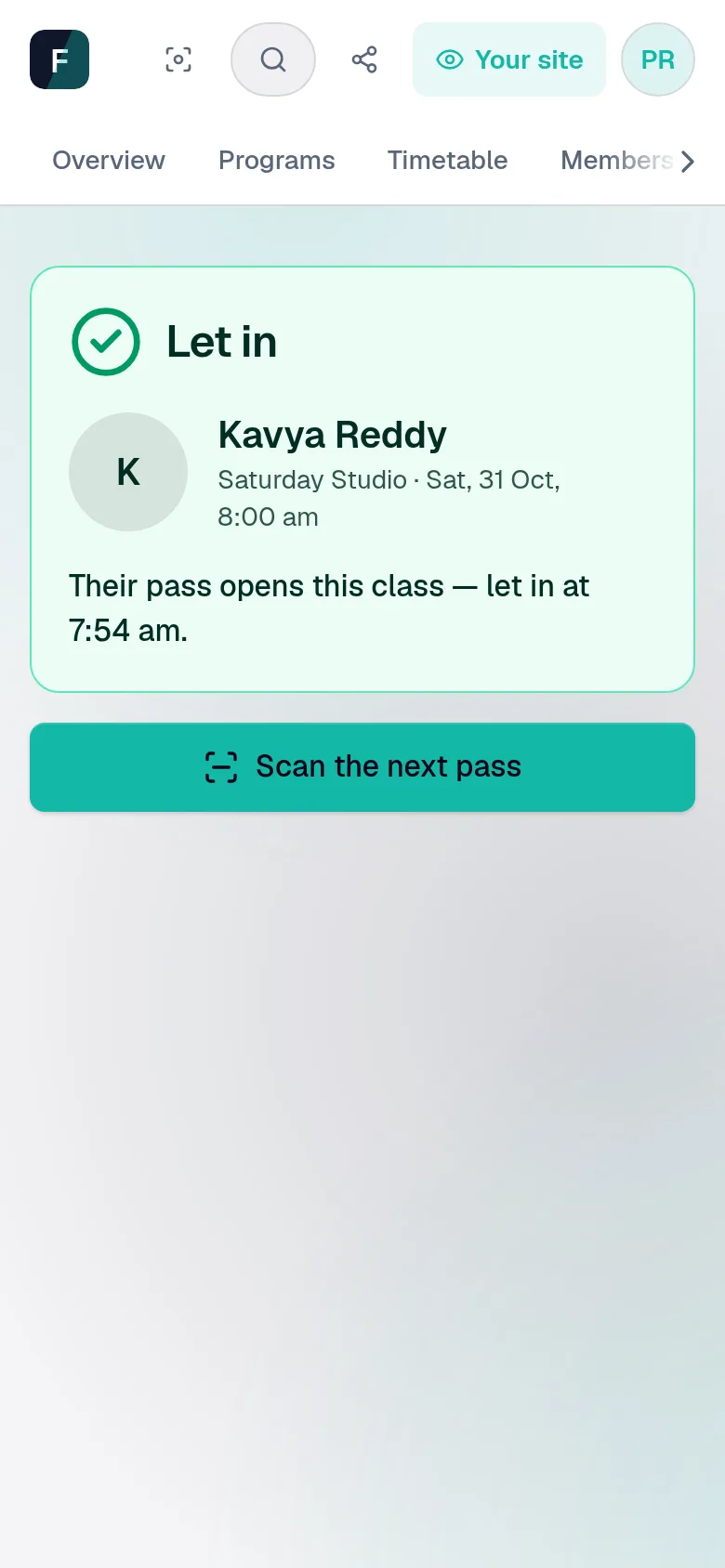
YouScan it with your phone: green, with their name and photo. A screenshot sent to a friend stops working before it reaches the door.
ThemThey see what they owe and press I've paid — “UPI this morning, ref 5512 0093” — which holds their place while you check.
YouMark paid, or Not received and why. Every word on both sides stays on the pass, so a mix-up is read rather than argued.
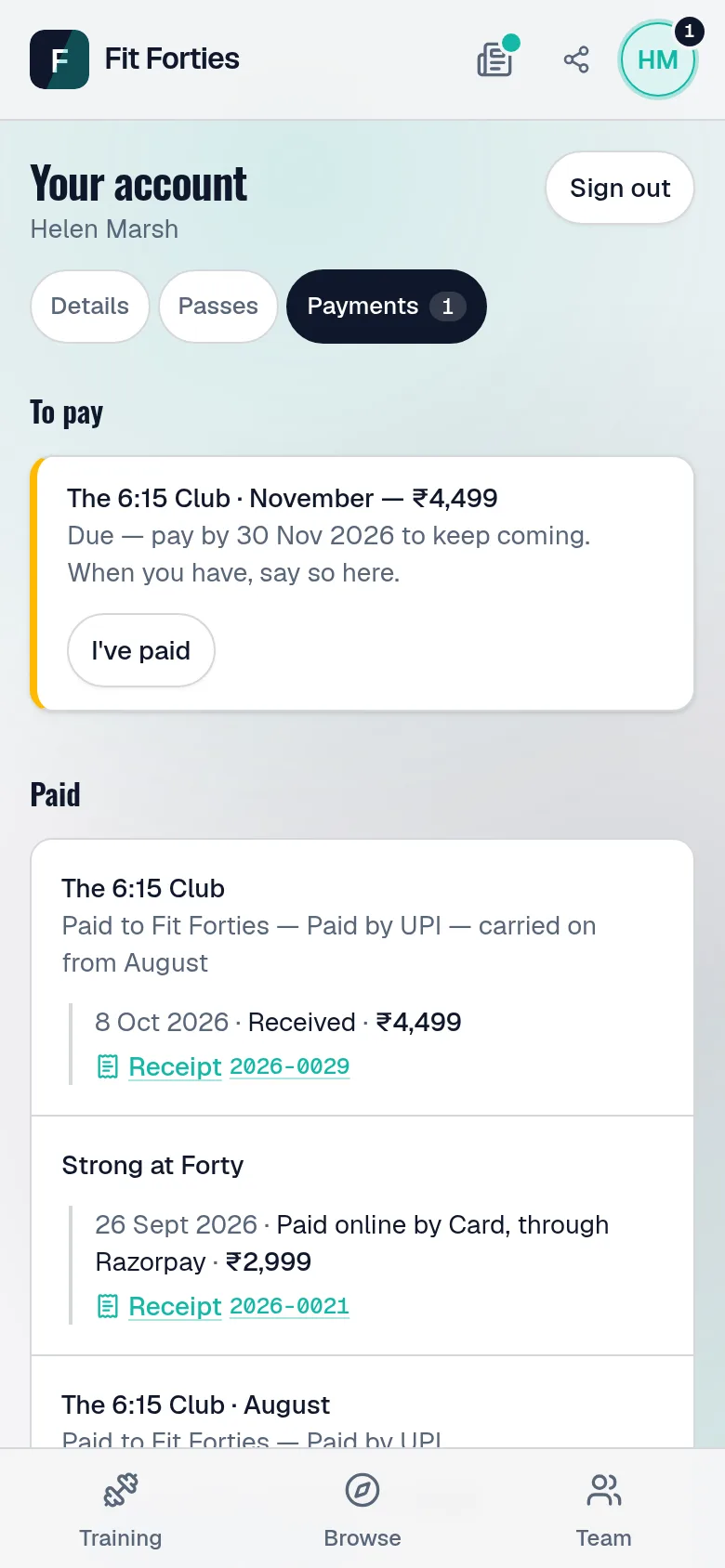
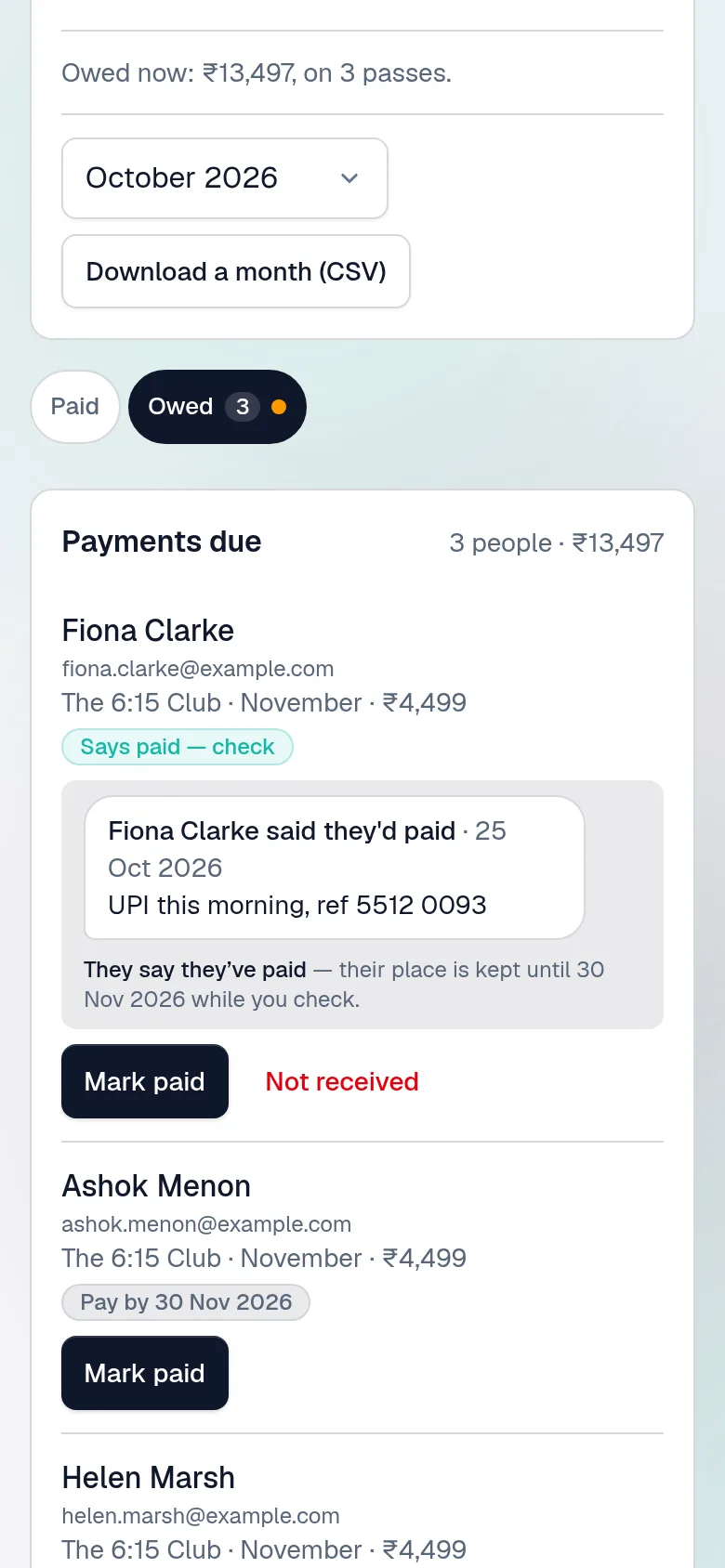
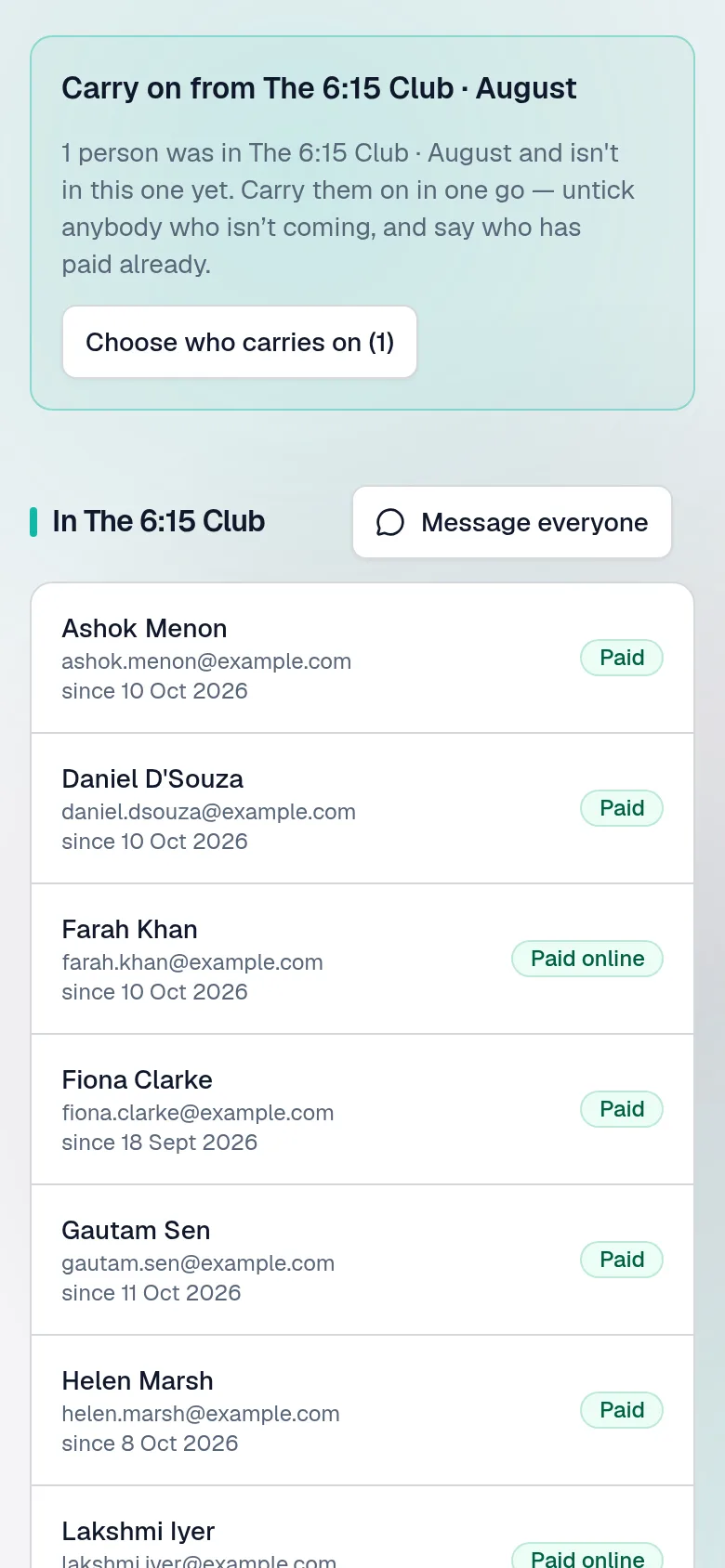
YouRun it again makes next month's batch; Carry on brings this month's people into it, ticked — paid ahead or to pay later.
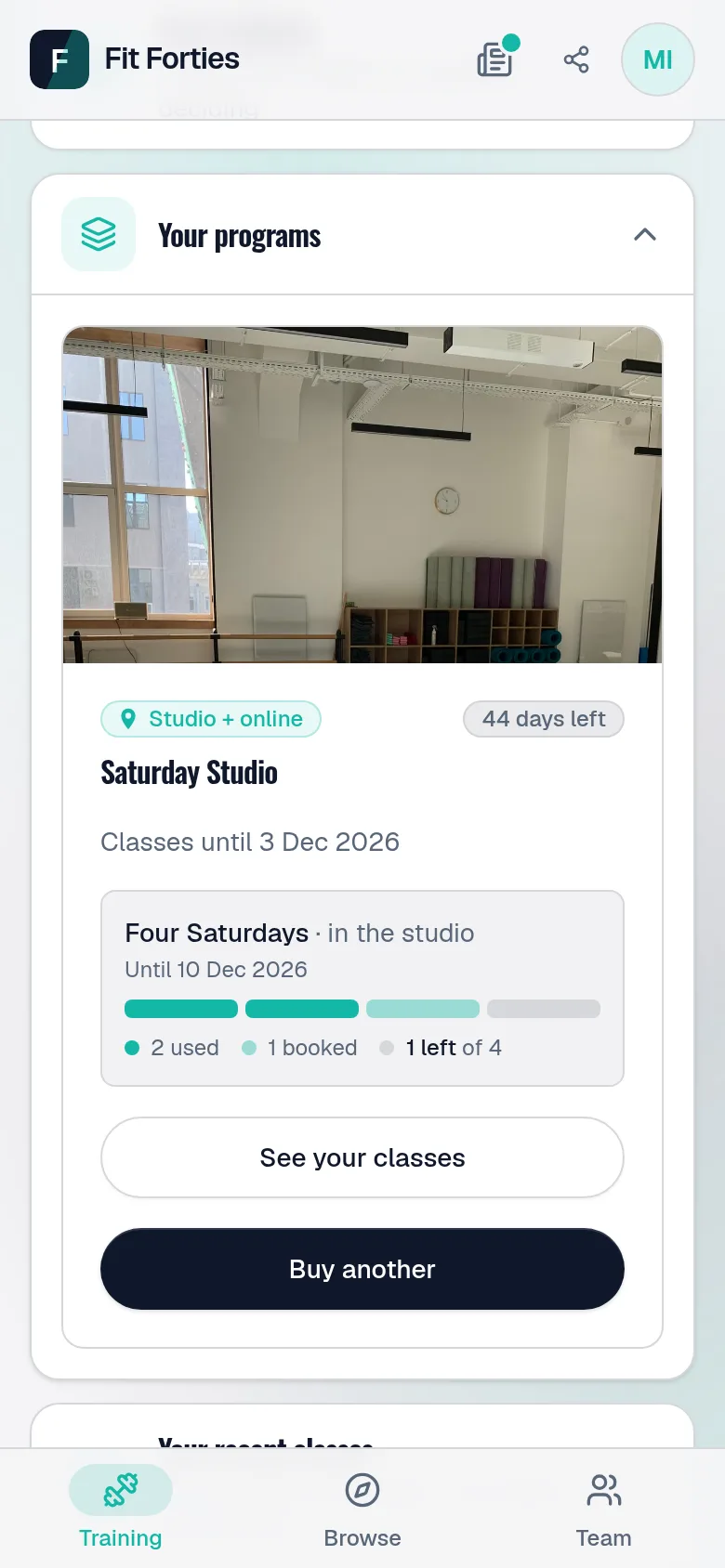
ThemTheir pass is waiting, with a box for every class — used, booked, left — and Buy another once the last one is booked.
Explore
Tell us what you teach and how you run it today. We set your site up and hand it over — yours from the first time you sign in.