AAnamorphicFit

Real screens, not a simulation

A week at the studio

The ordinary jobs of running a training business — who asked to join, what Saturday covers, who is at the door, whose pass is running out — on the screens you would do them on, as they look on your phone.

Every picture is AnamorphicFit itself, running the demo studio, Fit Forties — a strength studio with recorded courses, a 6:15 am online batch and Saturday classes in a room, streamed to people at home. Its members and payments are examples. Taken in October 2026.

Your side of the door

The studio — yours, your manager’s and, cut down to their own programmes, your teachers’.

Monday, over coffee

See what needs you

The studio opens on your week: how many things need you and how many classes today, then the list — people asking to join, feedback to approve, classes with no meeting link, a contract to renew — each a tap from where it's dealt with.
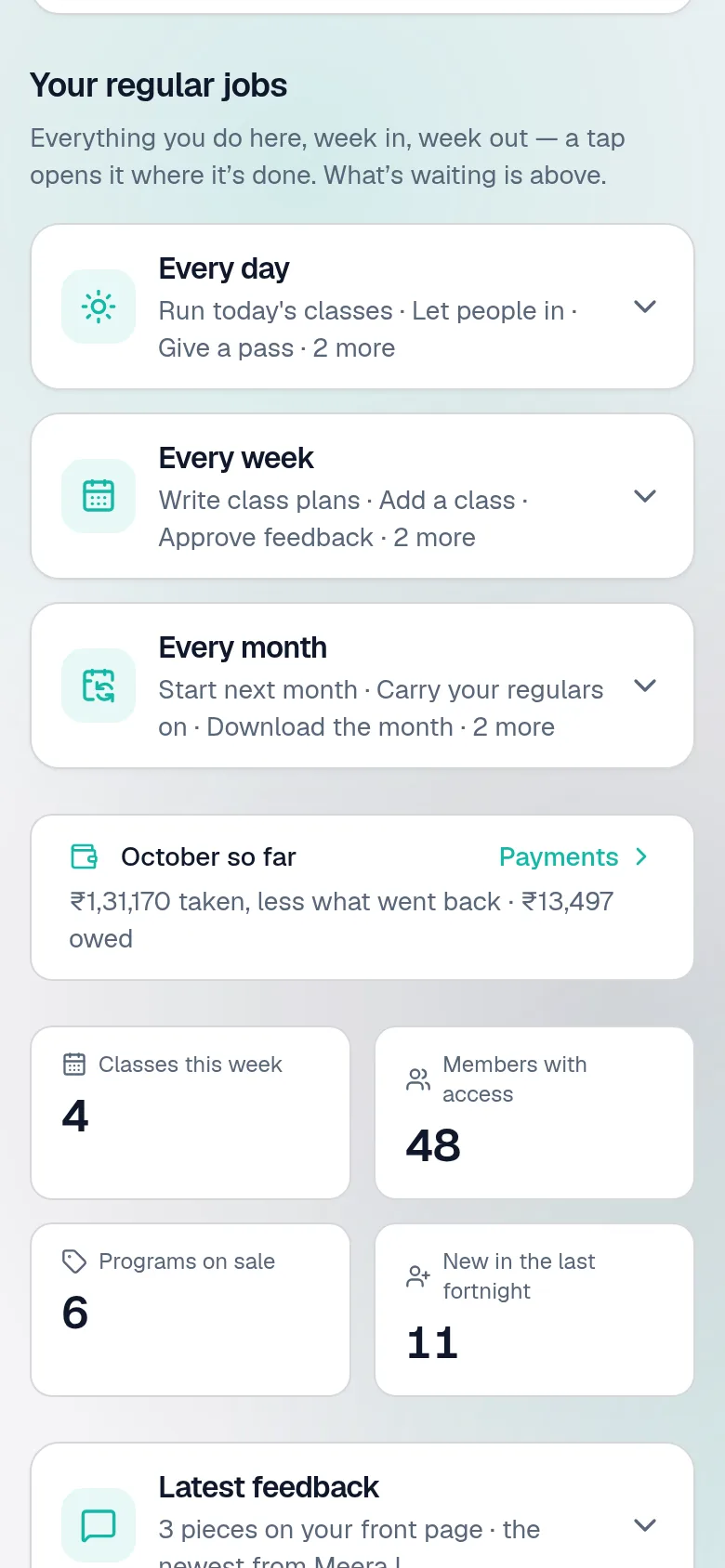
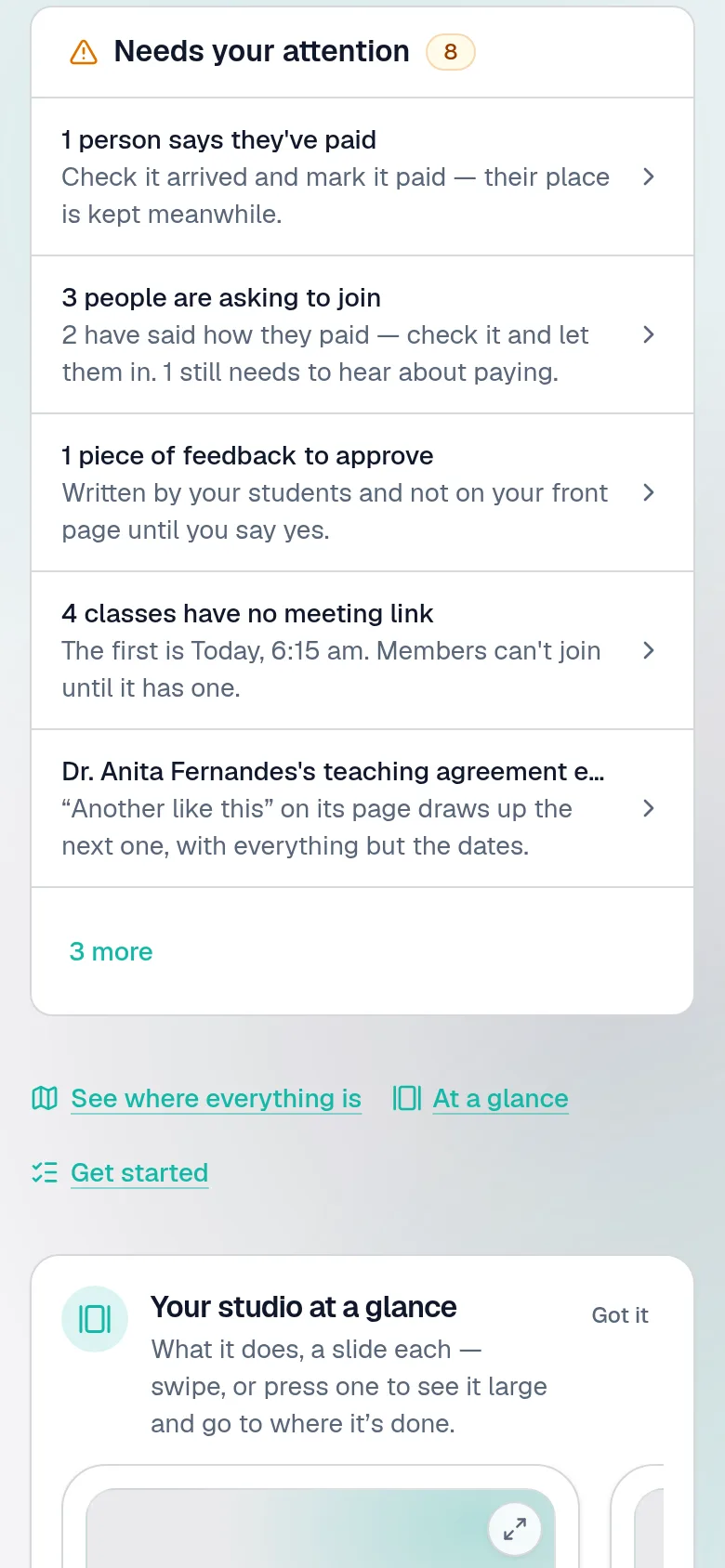
The studio's overview on a phone: its regular jobs for every day — today's classes, people asking to join, a pass to give, money owed — each a large picture and a sentence on what it is for, under one list of what is waiting.
The overview's list of what needs attention: people asking to join, feedback to approve, classes with no meeting link.

Monday, a minute later

Let somebody in

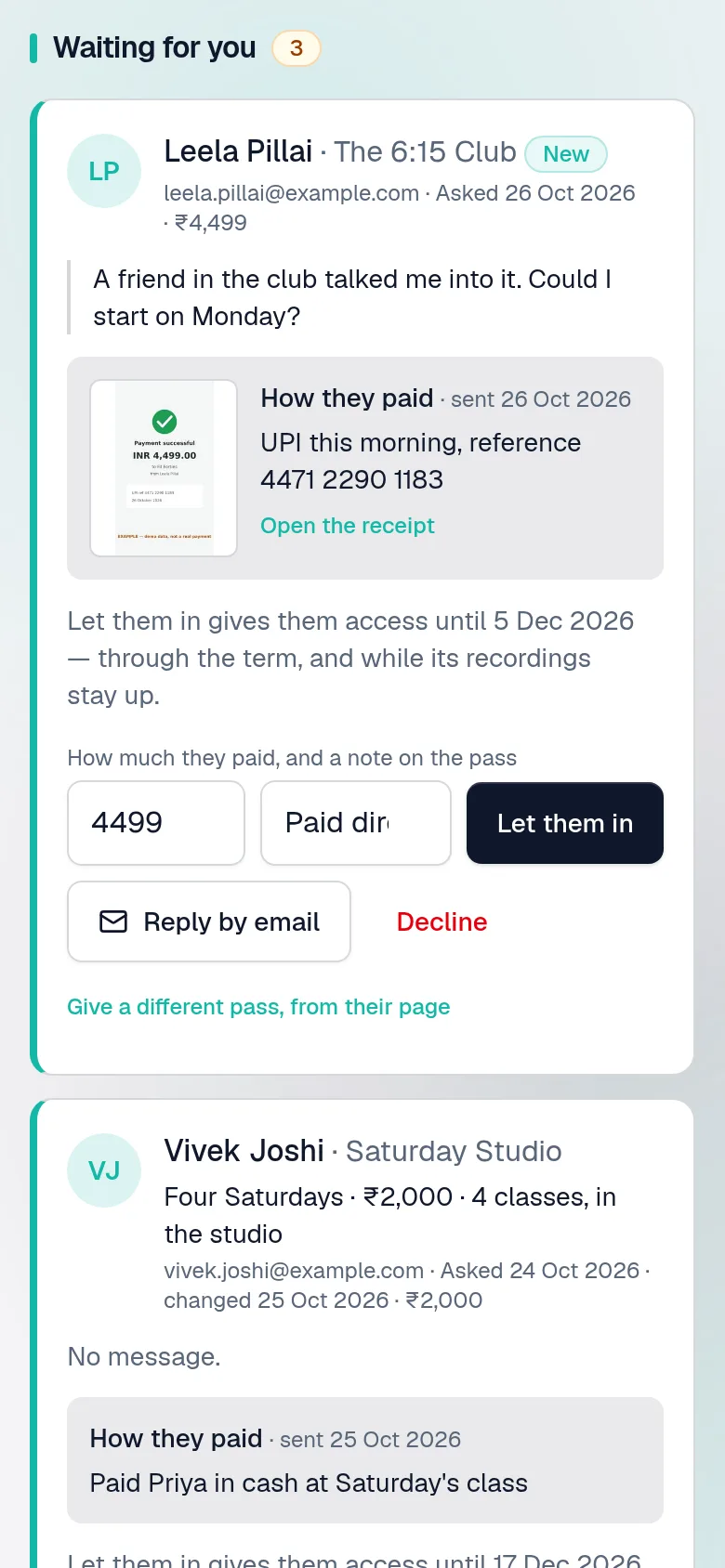
Leela asked to join The 6:15 Club and sent a photo of her UPI receipt. Check it, press Let them in, and her pass is given with the receipt kept on it. Somebody who hasn't said how they paid waits below until they do.

Requests to join, one with a photo of a payment receipt and the member's own words about how they paid.

Tuesday

Write the fortnight's plans

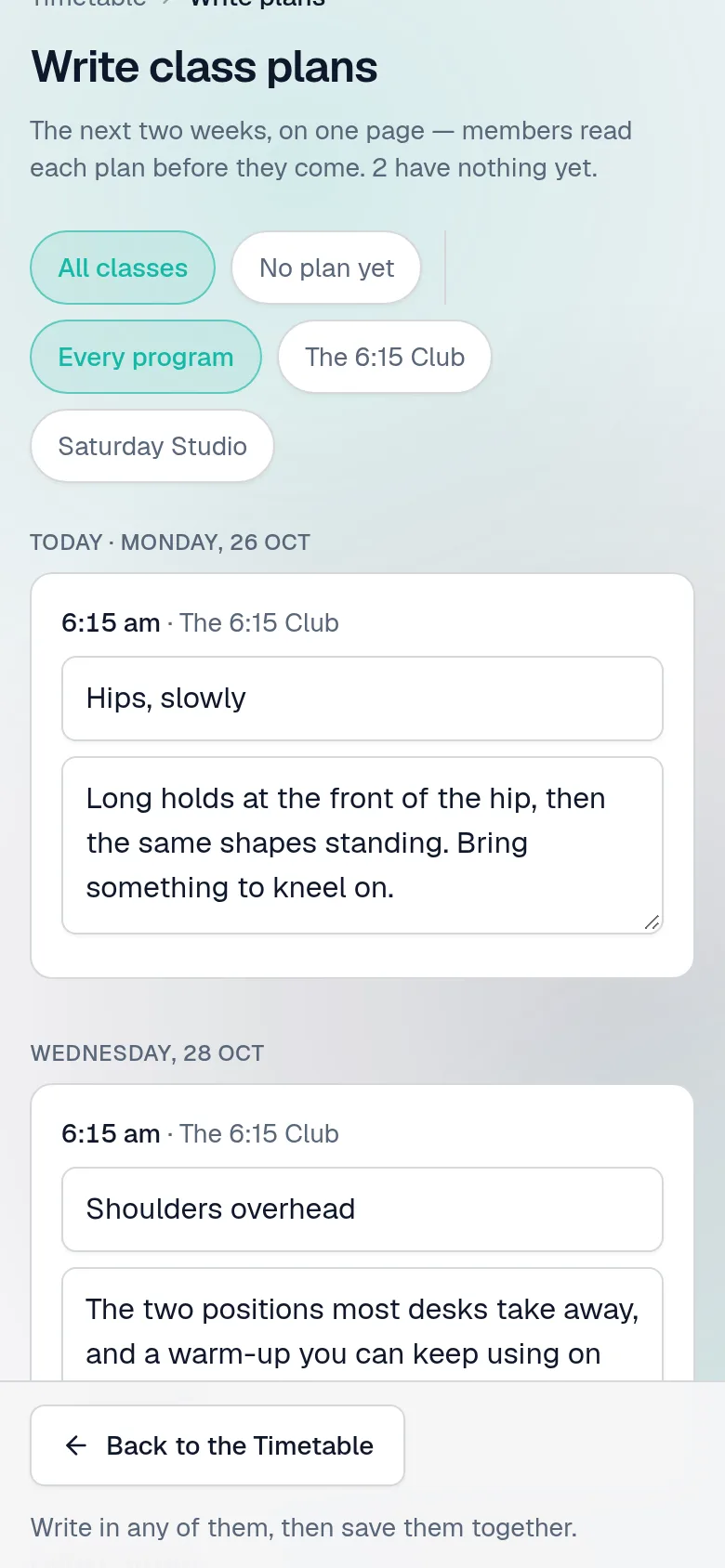
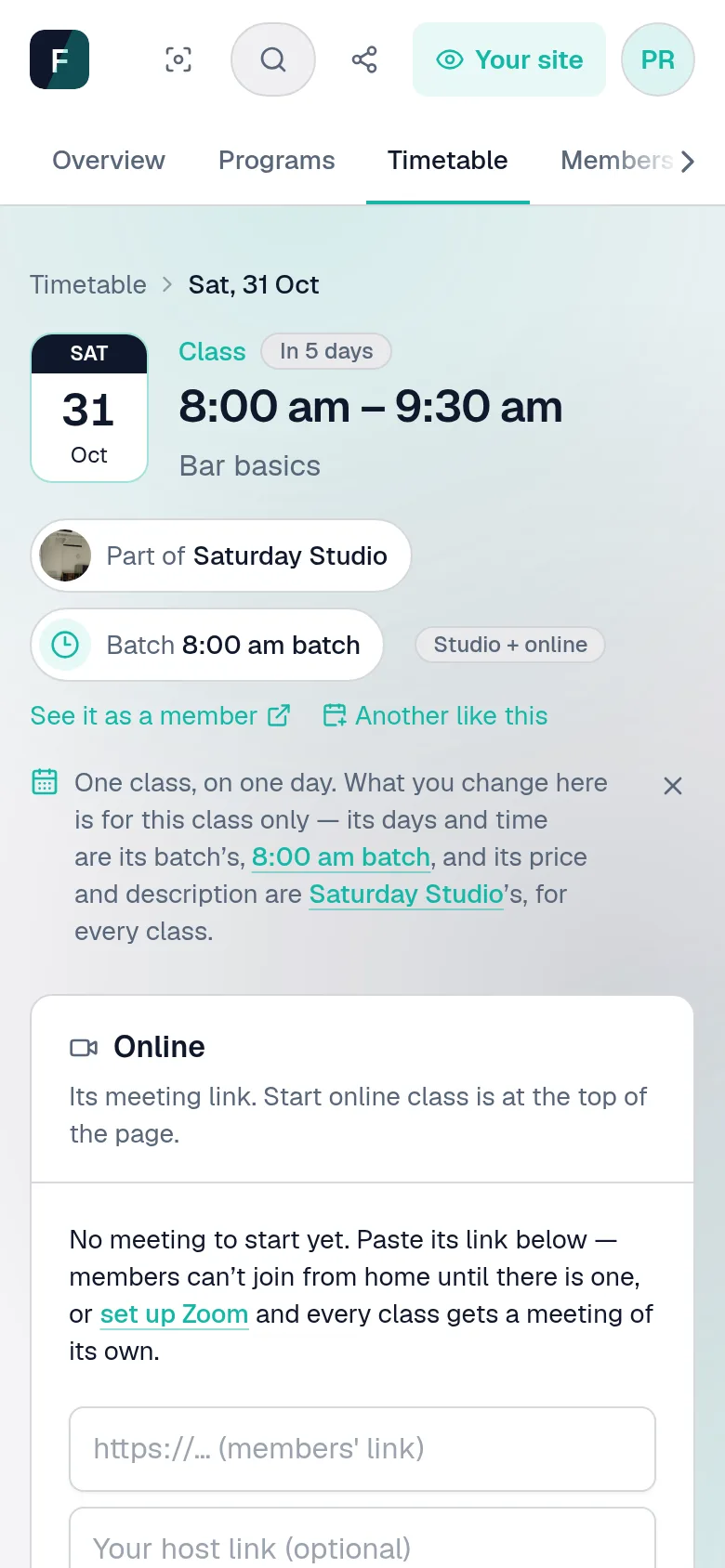
Every class has a plan — what it covers — that members read before they come. The next two weeks are on one page: write as many as you like, each starting from last time's, and save them together. Or write one on a batch, for every Saturday 8 am class at once.

Write class plans: the next two weeks' classes on one page, each with a title and what it covers, some started from the last class at that time, saved together.
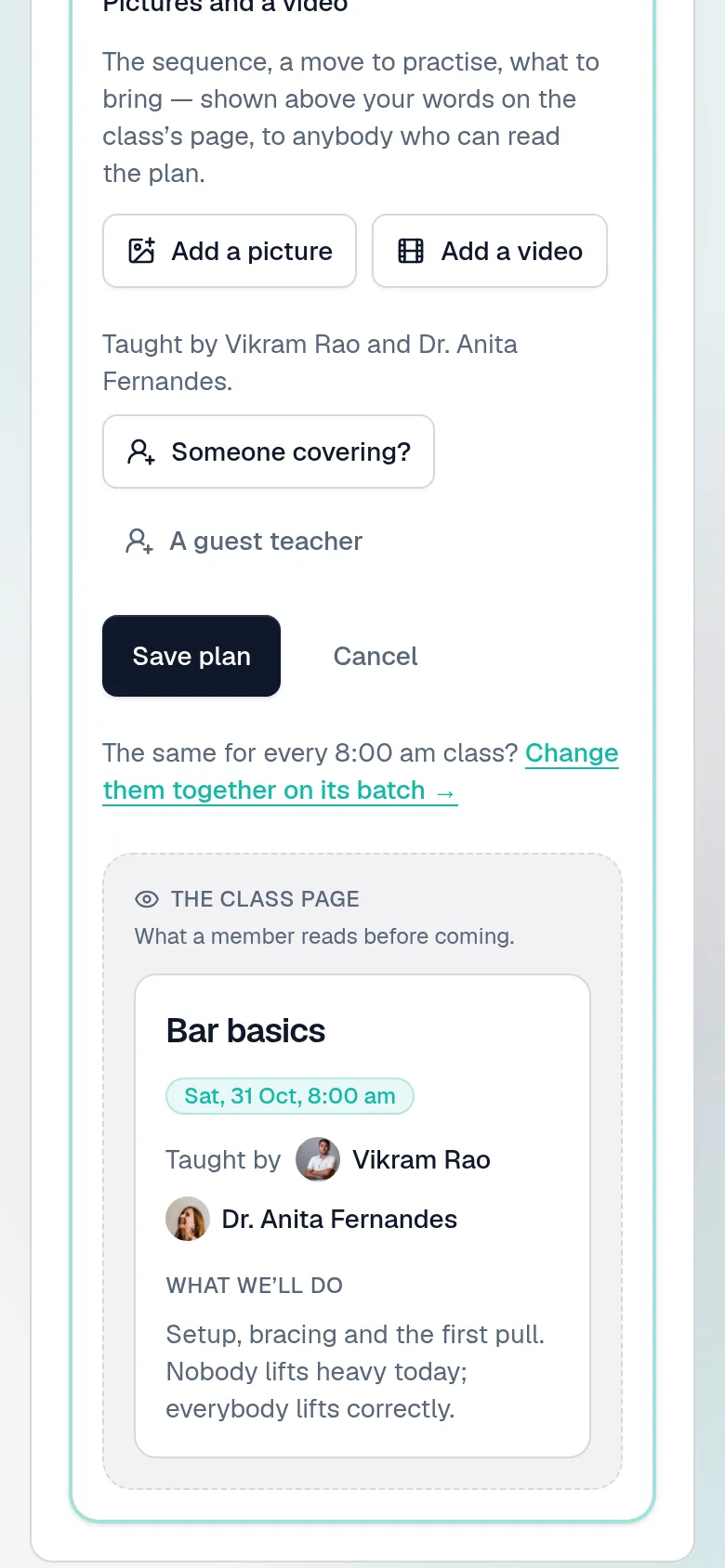
A class's plan: what it covers and who teaches it, written for this class — and its batch a press away, for every Saturday 8 am class at once.

Wednesday

See the money

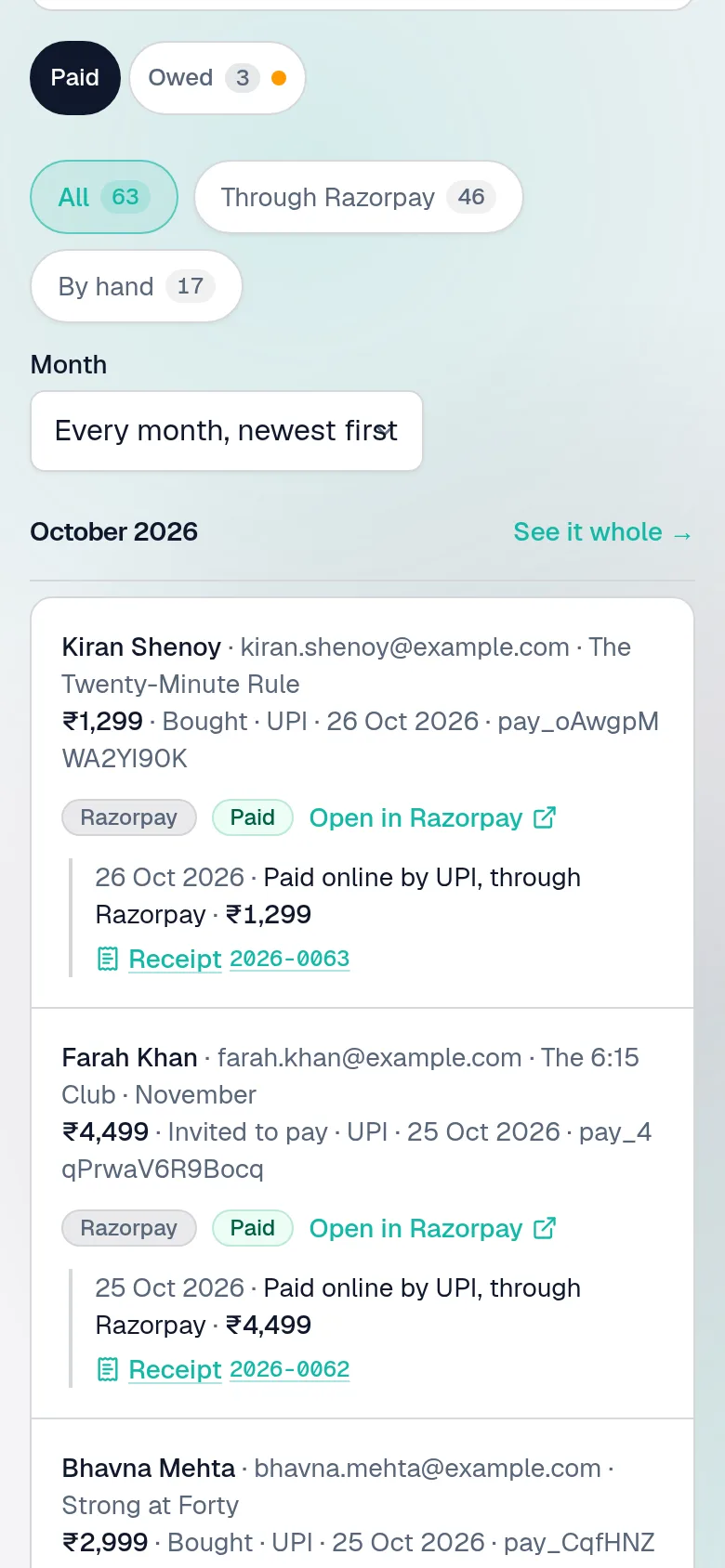
This month so far — online, by hand, less anything given back — and what is still owed. Every payment with how it was paid and a numbered receipt to send; a tax invoice too, if you're registered for GST; and the month downloaded for your accountant.

Payments: every sum taken, each with how it was paid, the member's own words, and a numbered receipt.

Saturday, 7:45 am

Open the door

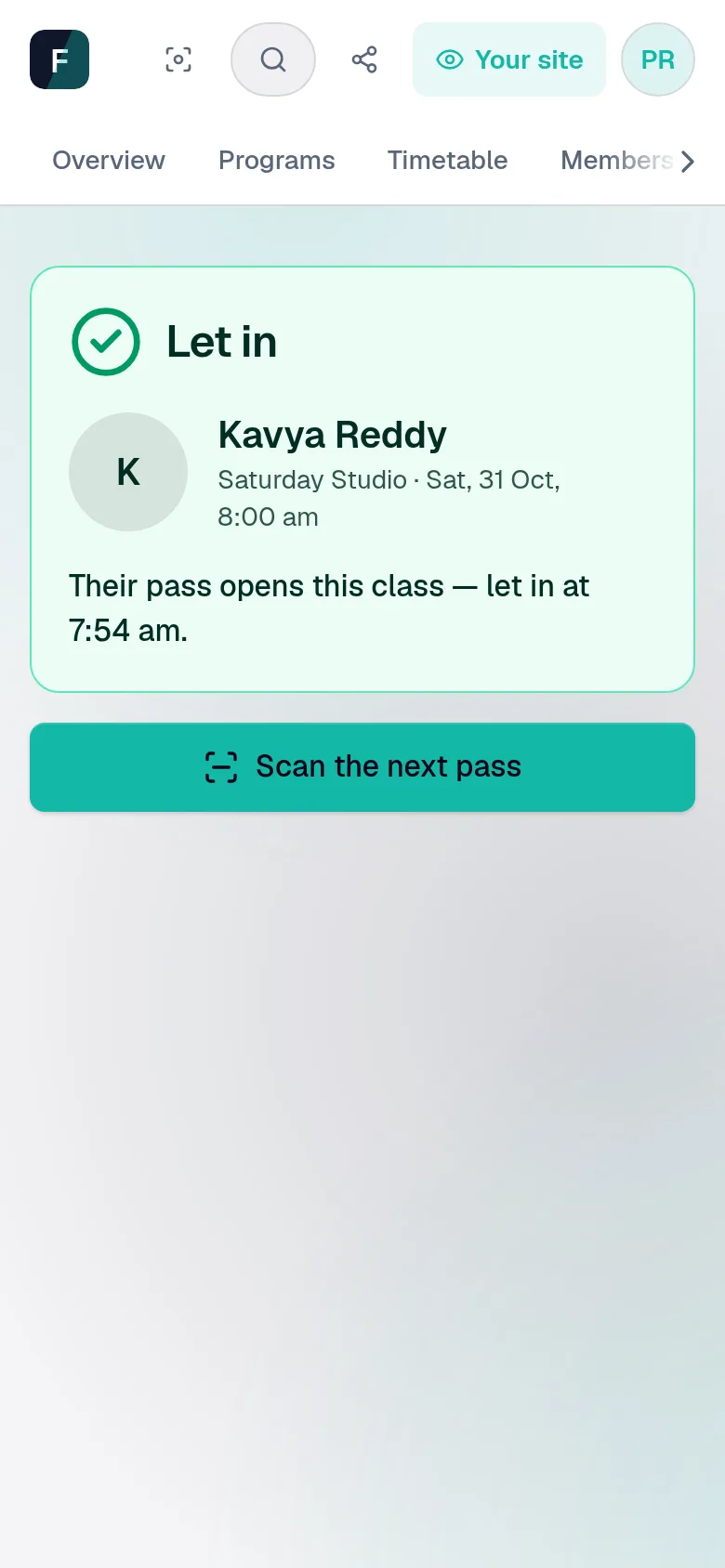
Scan passes as they come in: green, they're in; red, let them in for the class or book them a place there and then. The class's own page has the rest — who's in the room and who's at home, and somebody at the door.

A member's pass scanned at the studio door: a green Let in, with her name and photo, the class, and Scan the next pass.
One class's own page: its date, its programme and its batch, how many of the people with a pass have booked, who is coming in the room and online, and a button for somebody at the door.

Saturday, after class

Keep what happened

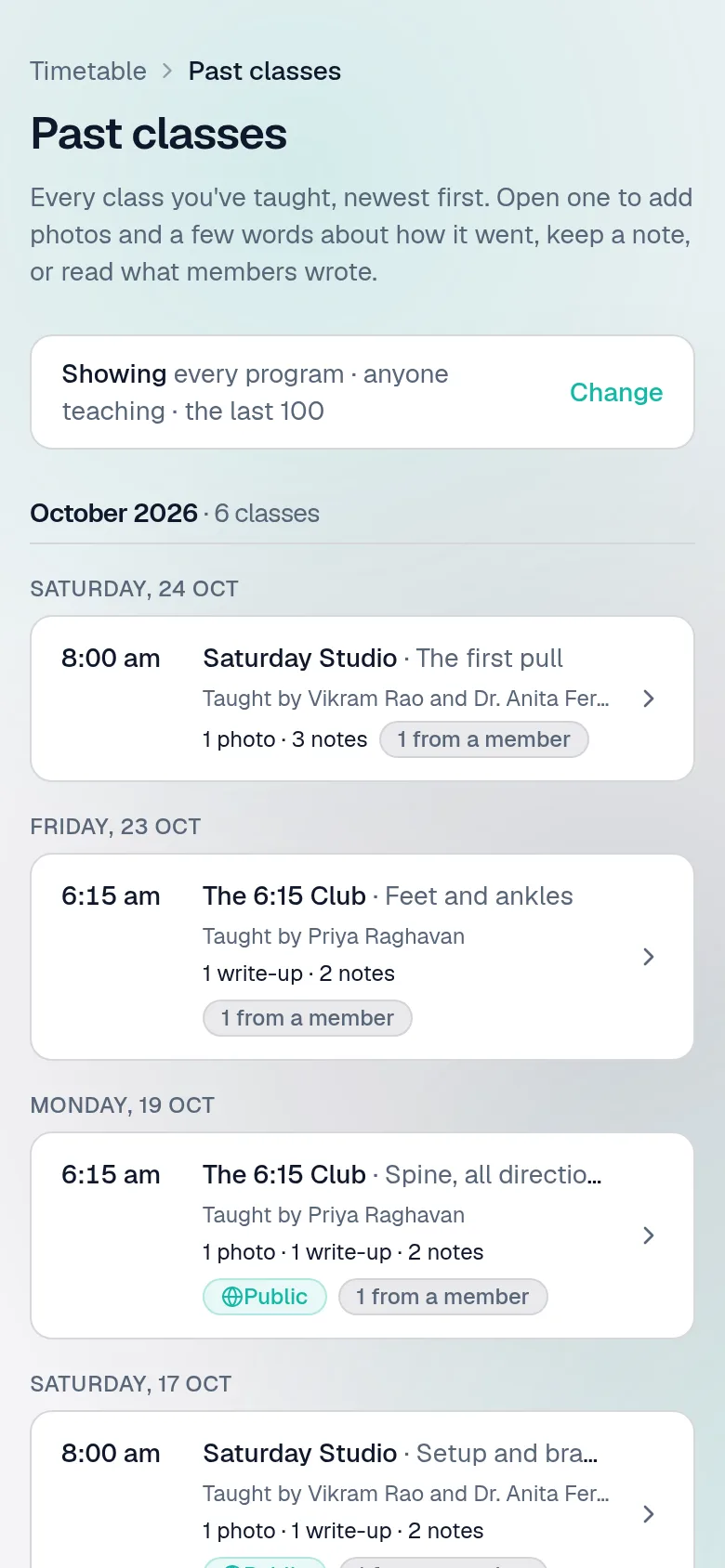
Add a few photos and a few words about how it went, for the people who were there and the ones who weren't. Keep a note of your own; members keep theirs. Every past class is listed, newest first.

Past classes, newest first, each saying what was kept: a write-up, photos, notes from the studio and from members.

Sunday

See who is running low

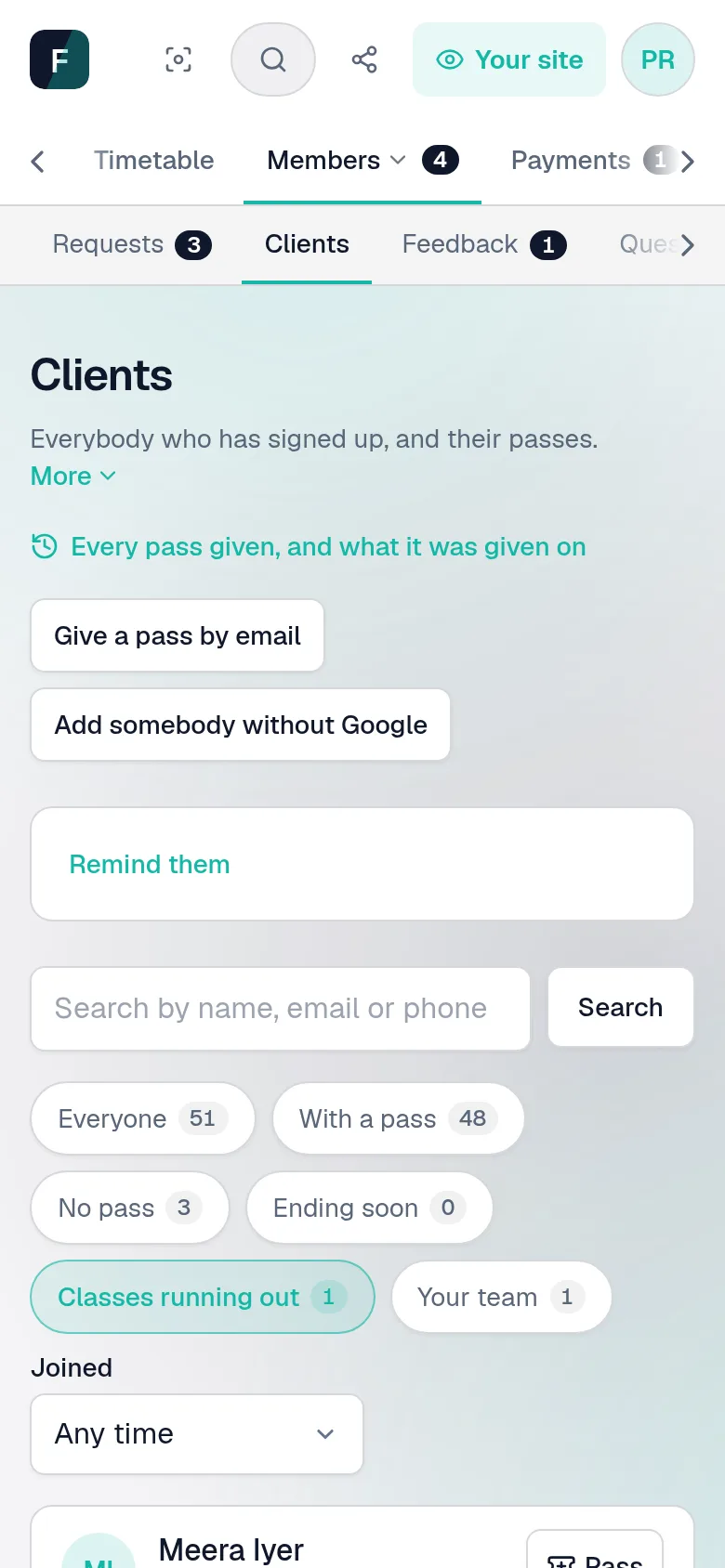
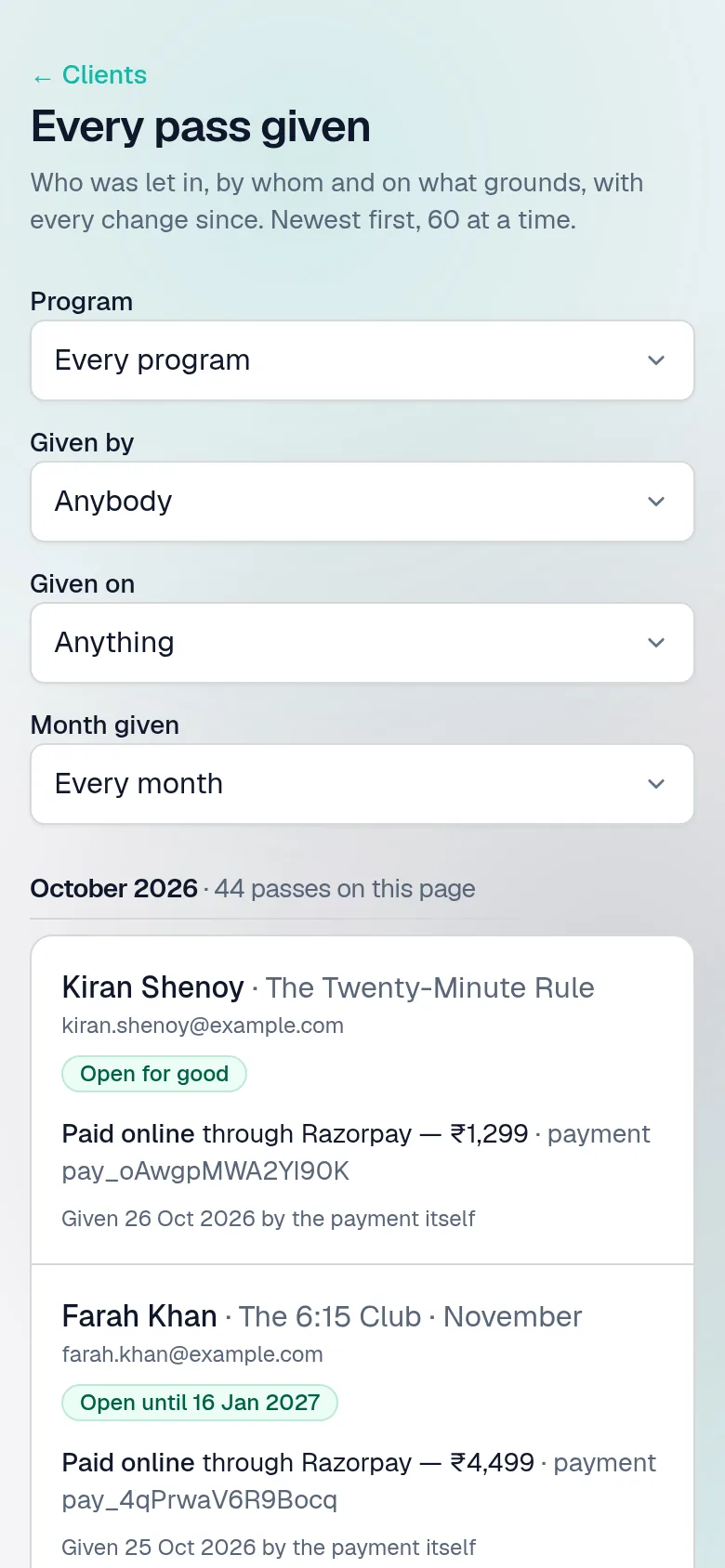
Clients filters to whoever's pass ends soon, or whose classes are nearly used. Every pass ever given is listed too, with what it was given on and every change since.

Clients filtered to those whose classes are running out, each with how many classes they have left.
Every pass given, each with what it was given on — a receipt, cash after class, a scholarship.

Sunday evening

Read what they wrote

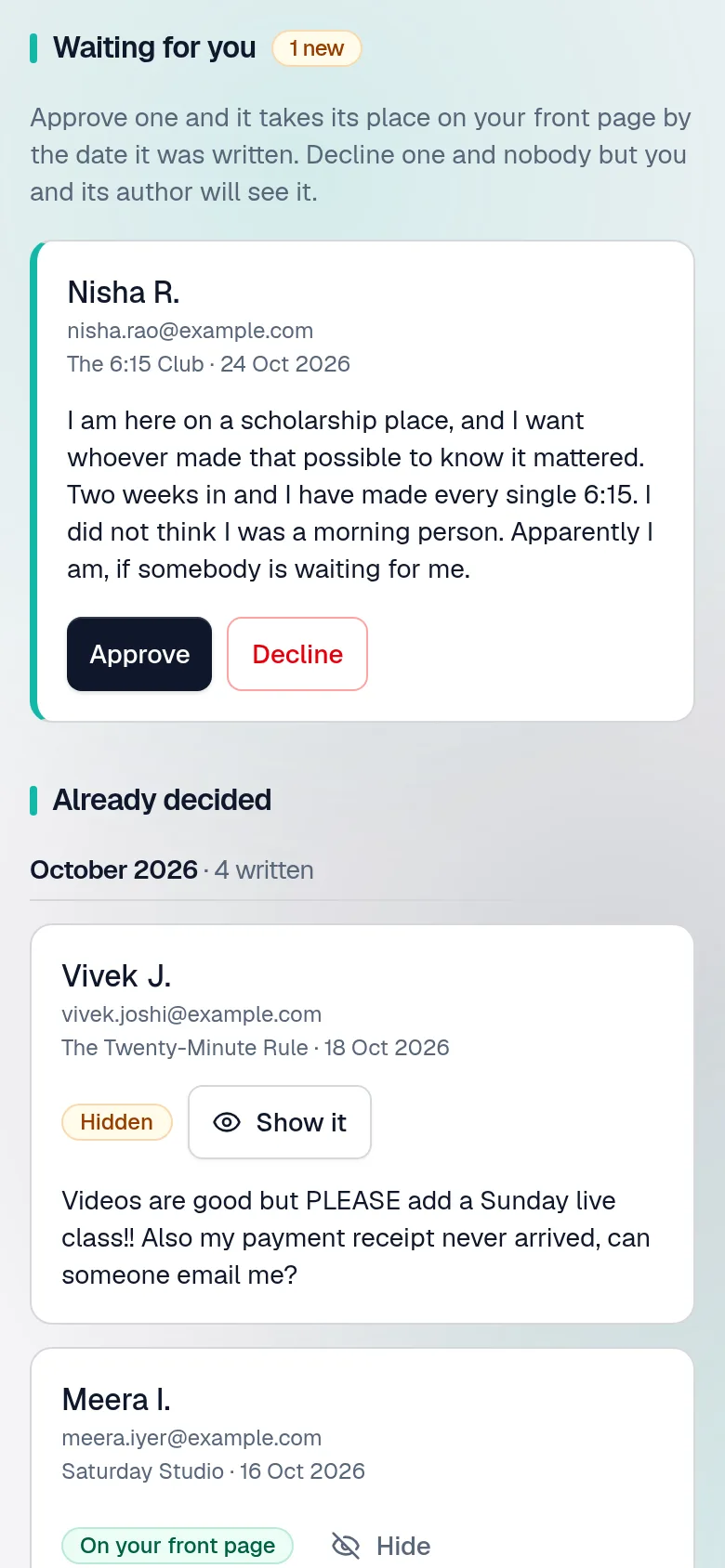
Students write about a programme from their own dashboard. Nothing reaches your front page until you approve it — and if they change their words, those come back to you too.

Students' feedback waiting for approval before it appears on the front page.

End of the month

Run it again

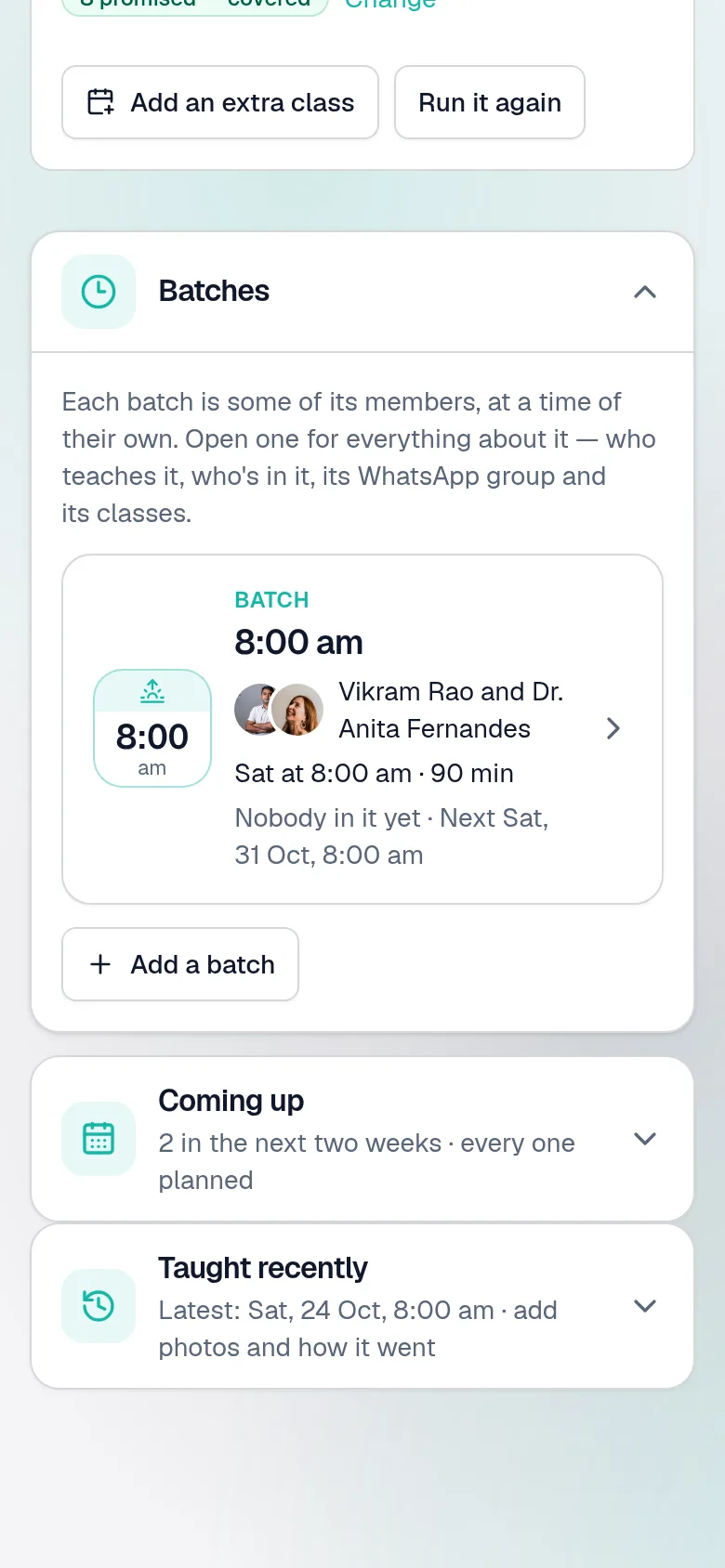
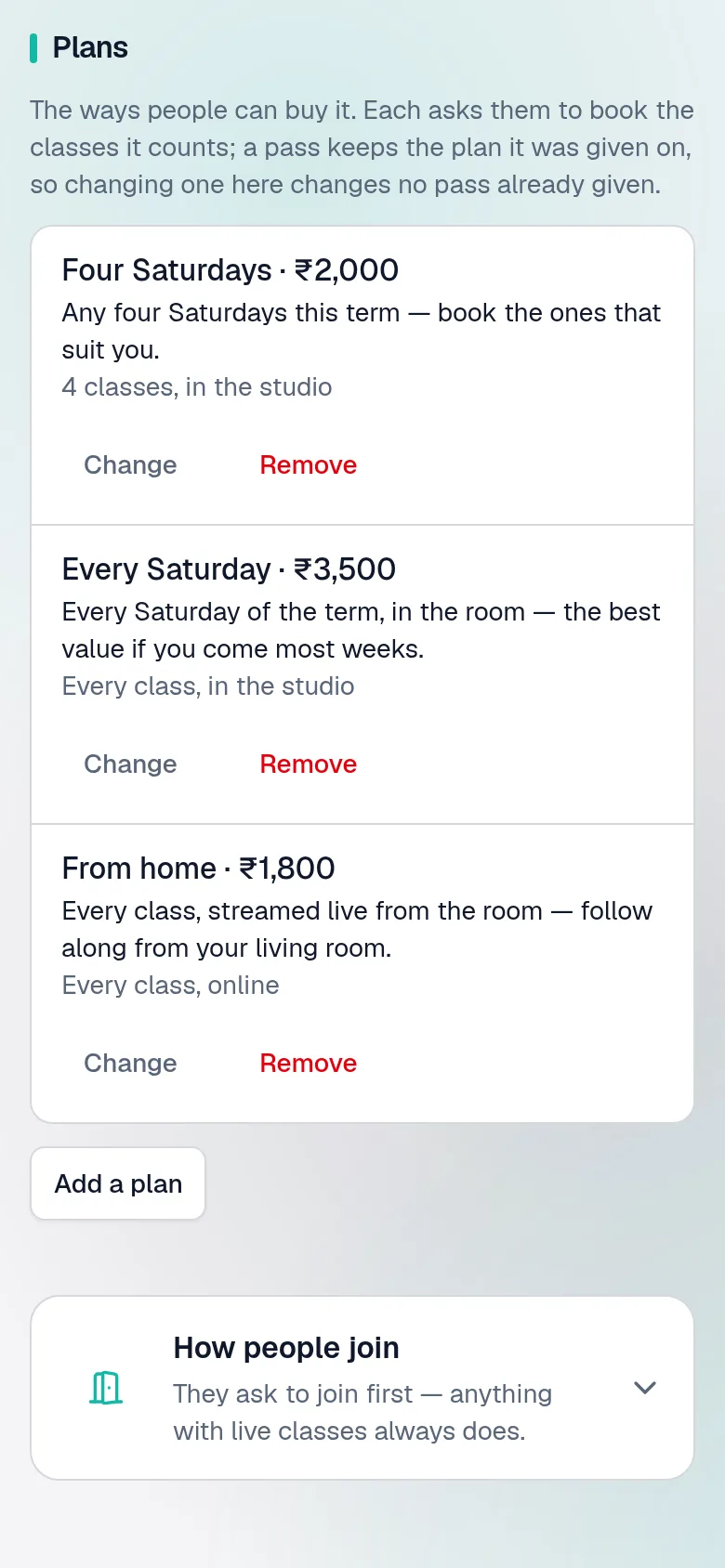
Next month's batch is one press: the same programme, as a draft, with new dates. Add an extra class, change a price, or add a plan — four classes, every class, from home.

A programme's Batches tab: each batch a card — its time on a tile, who teaches it, its days, how many are in it — with the next two weeks' classes and those taught lately folded beneath.
A programme's Price tab: three plans — four Saturdays, every Saturday, and from home — each with its price.

The first of the month

Carry them on

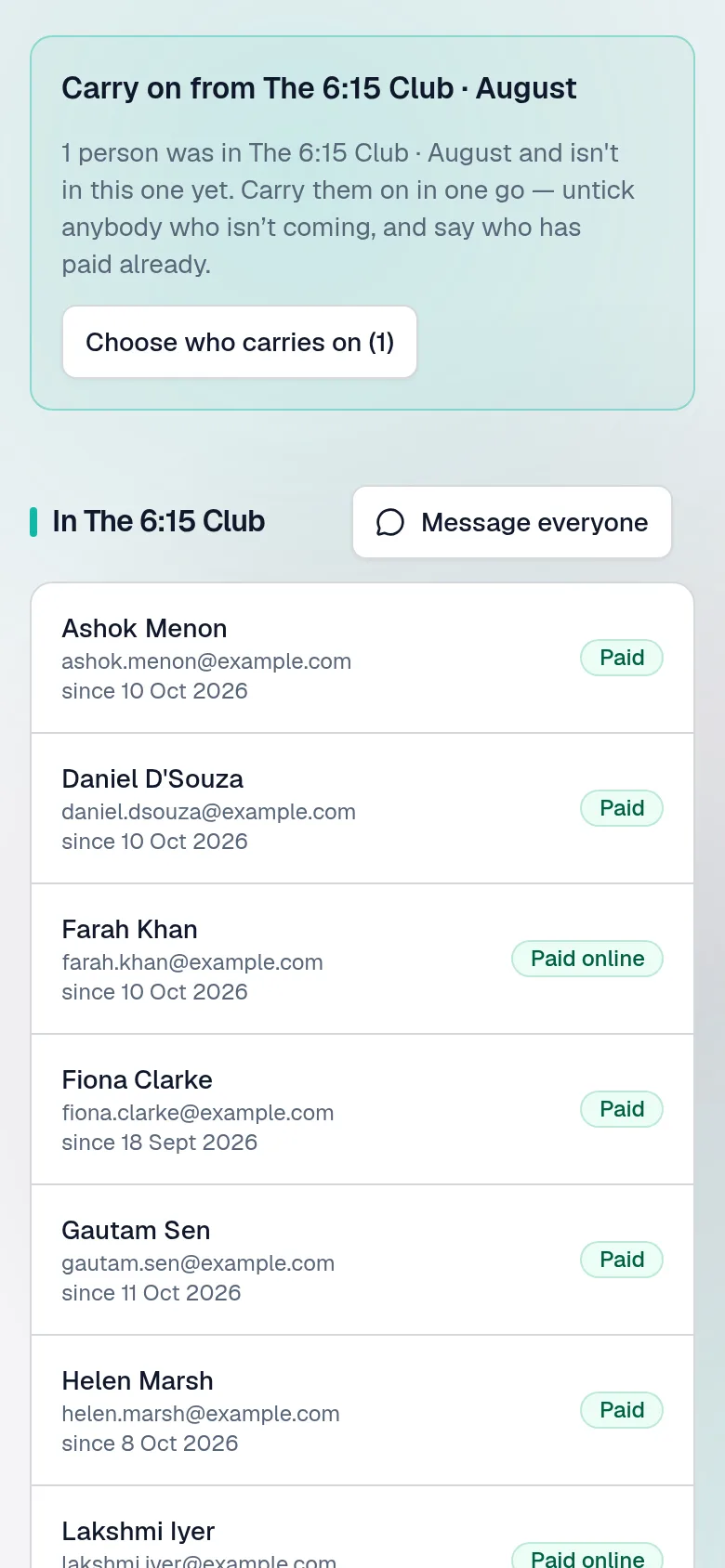
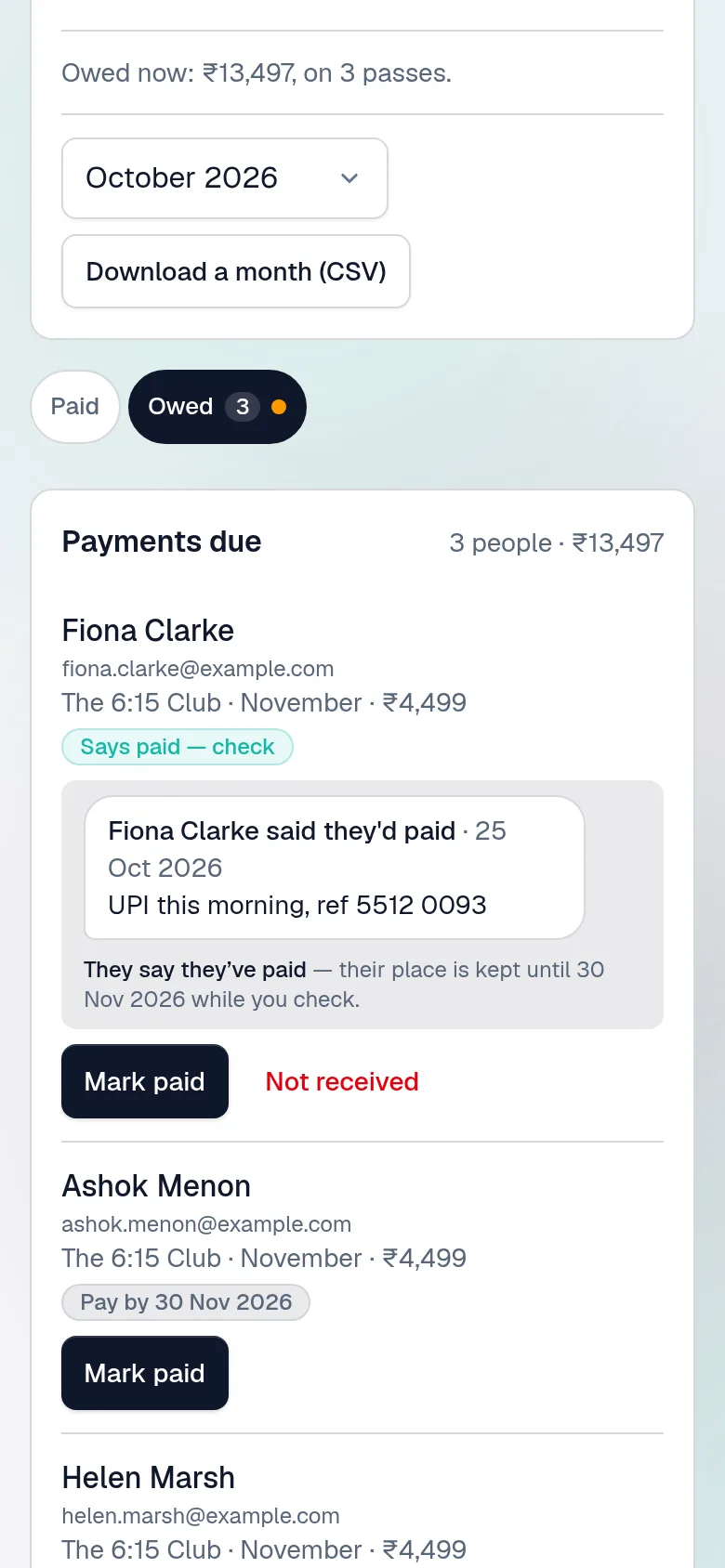
Last month's people, ticked, in one press — each with a new pass, paid ahead or to pay later. Whoever pays later keeps coming for a week; Payments due shows who hasn't paid, who says they have, and Remind them to pay, written for you.

A monthly batch's People tab: carry on from last month's batch, who is in this one and whether they've paid, and month by month who keeps coming.
Payments due: one member says they've paid by UPI this morning, with Mark paid and Not received; another due by a date; and Remind them to pay.

Any time

Can't find something? Ask

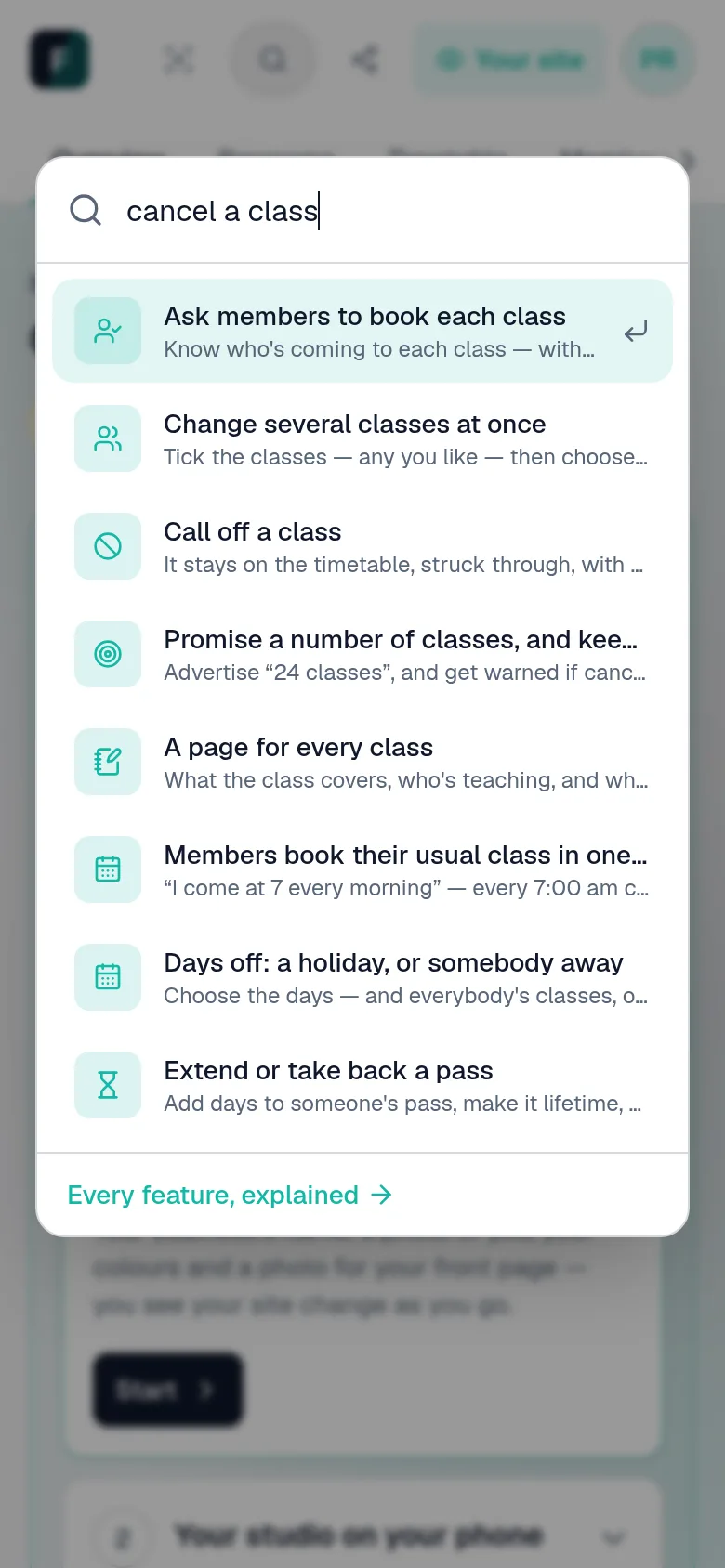
Ctrl K, or the magnifying glass, on any studio page. Type what you want to do in your own words, and it takes you to the button.

The studio's search, open over the page, with the steps for cancelling a class among the results.

And the other side of it

Your site, as the people who train with you see it — and as your teachers do.

Your front page

What a visitor sees

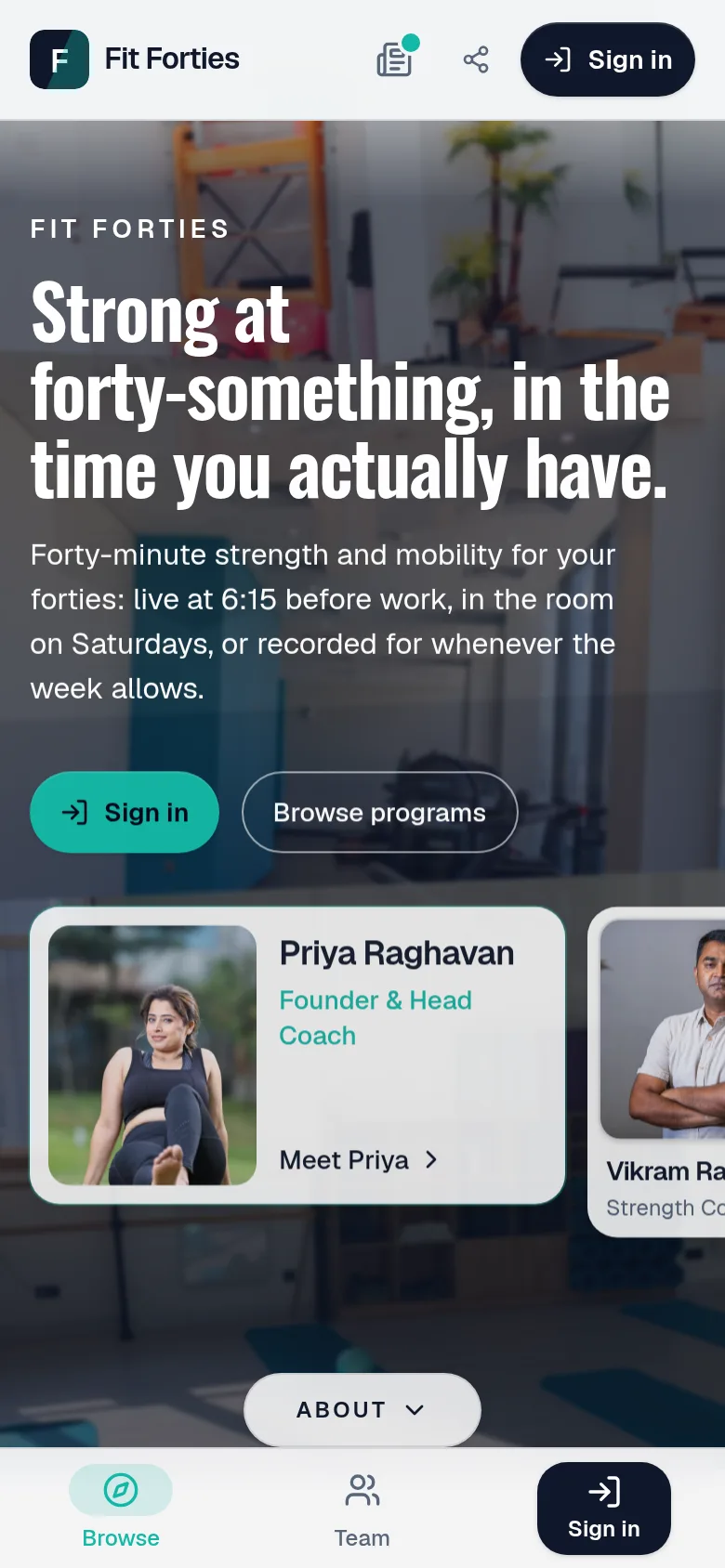
Your name, your photographs, your team and what you teach, at your own address — and a site they can add to their home screen like an app.

The front page of a creator's site on a phone: her name, a photograph, and what she teaches.
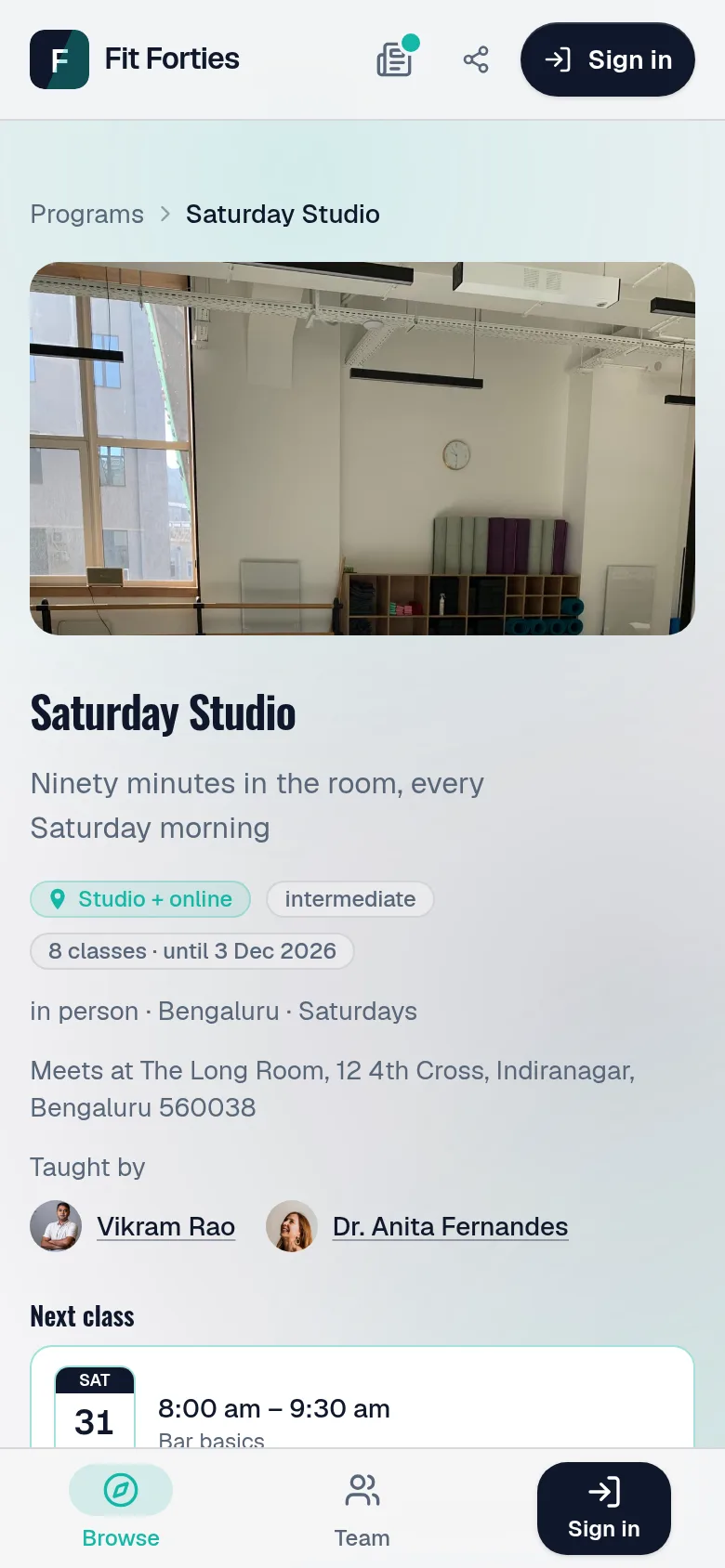
A programme's page on a phone: its price, its next class, and a button to ask to join.

Asking to join

Choosing a way in

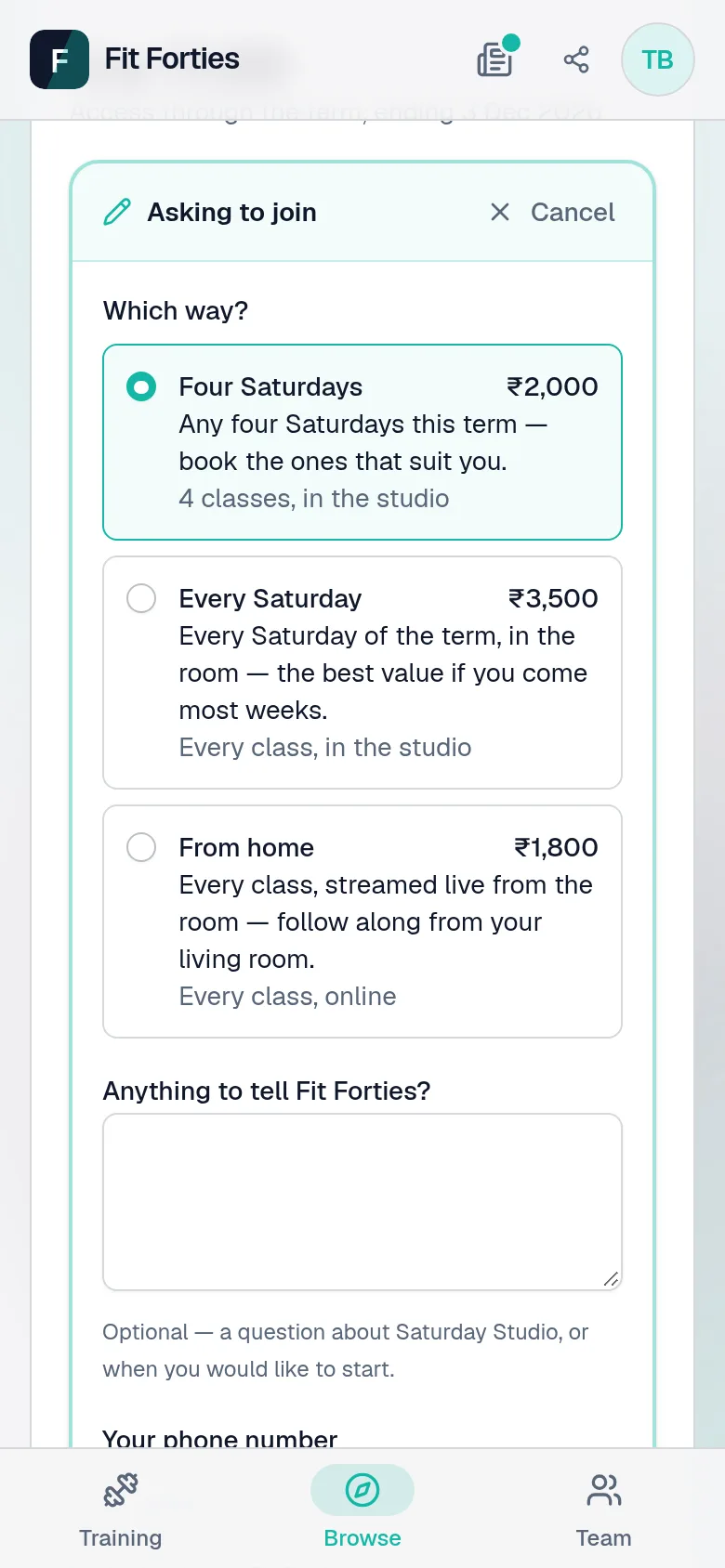
Every plan side by side, with its price and what it gives. They choose one, add a message and how they paid, and it lands in your Requests.

Asking to join: which of three plans, each with its price and what it gives, and a message for the studio.

Their week

Their pass, and their next class

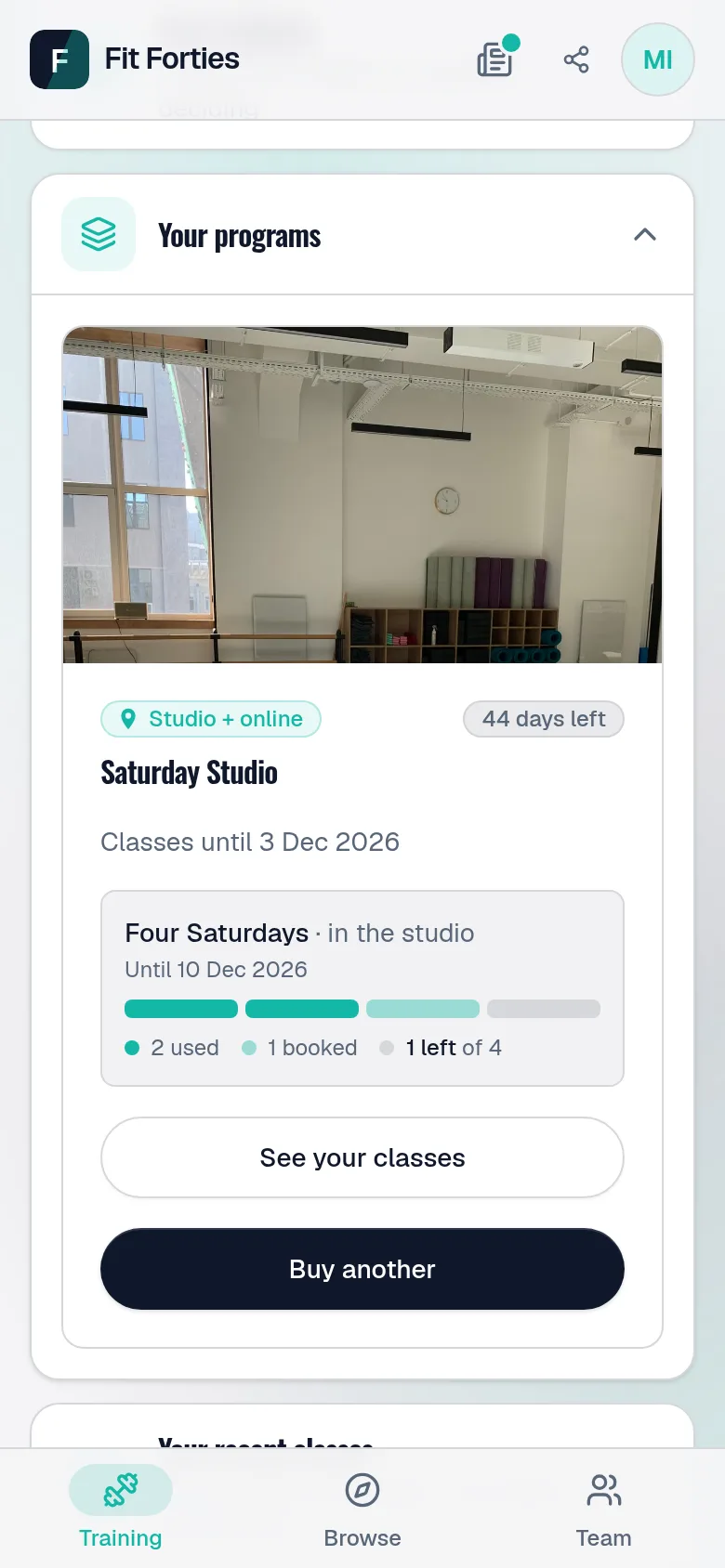
A box for every class their plan gives — used, booked, left — and Buy another when it runs out. Booking a Saturday is one press.

A member's dashboard: their pass with a box for each class — used, booked and left — and Buy another.
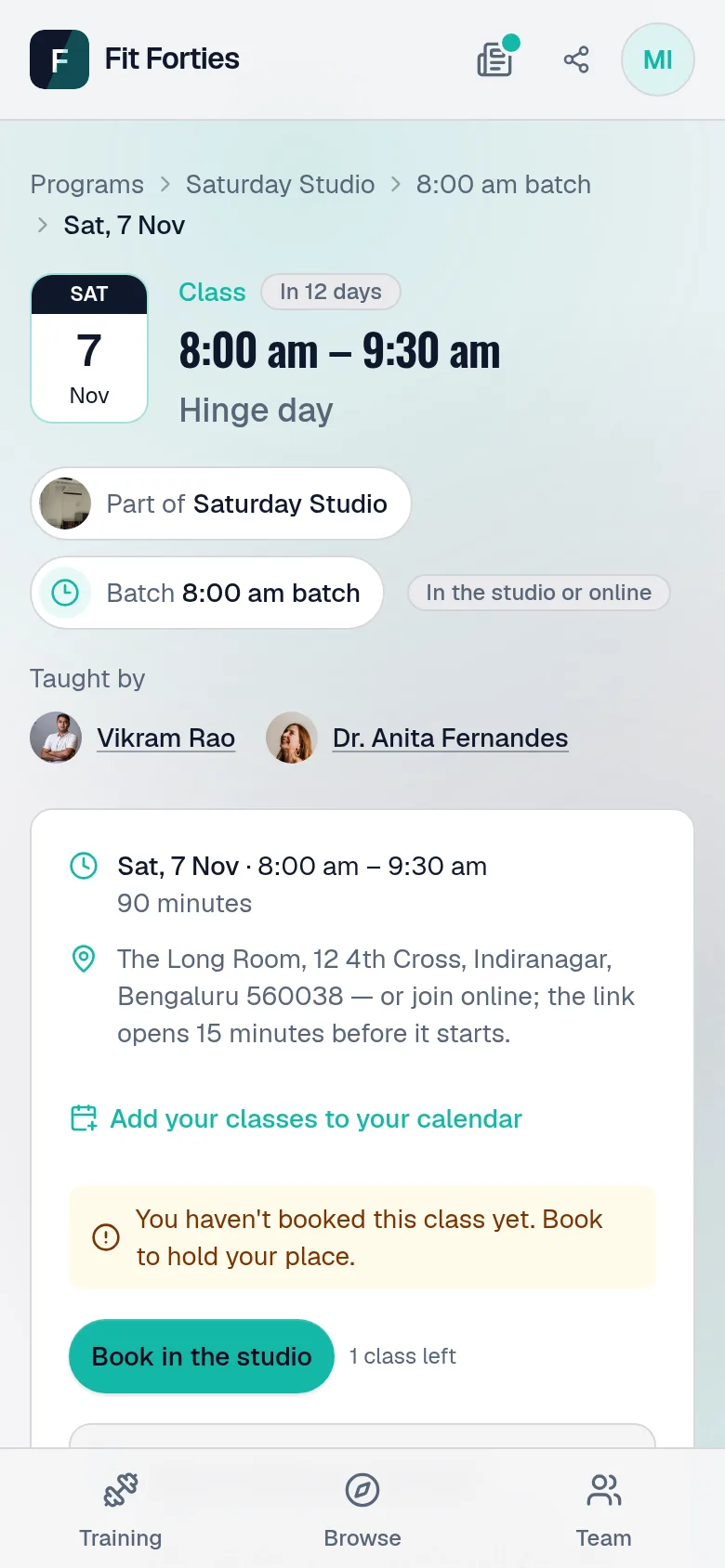
A class page for a member: its date and what it covers, a line saying she has not booked it yet, and Book, with one class left on her plan.

Their usual

Every Saturday, booked once

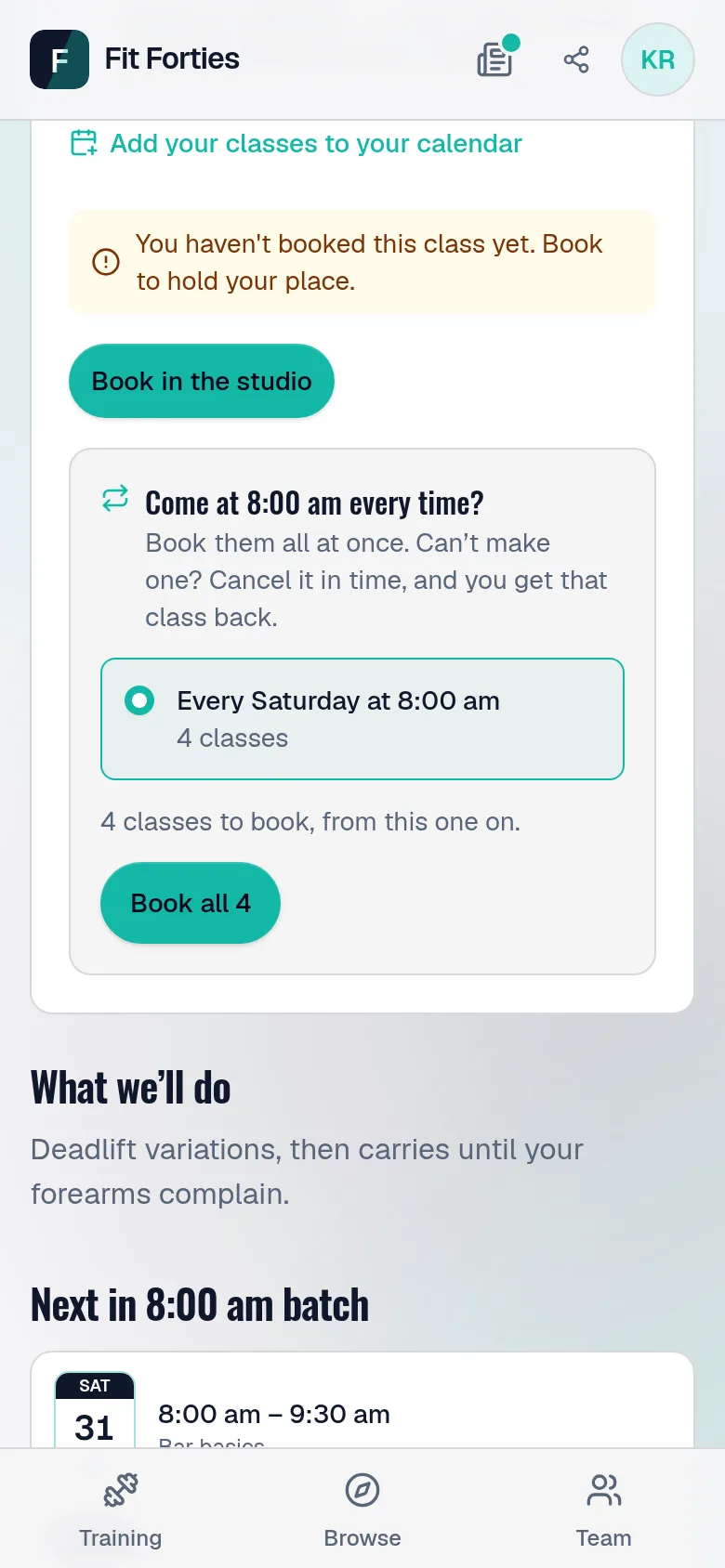
Somebody who comes at 8 every Saturday books every one of them in one press — as many as their plan has left, skipping any that are full. Can't make one? They cancel it in time and get it back.

A class page for a member on an every-Saturday plan, offering to book every 8:00 am Saturday class at once.

Their account

What they owe, and what they've paid

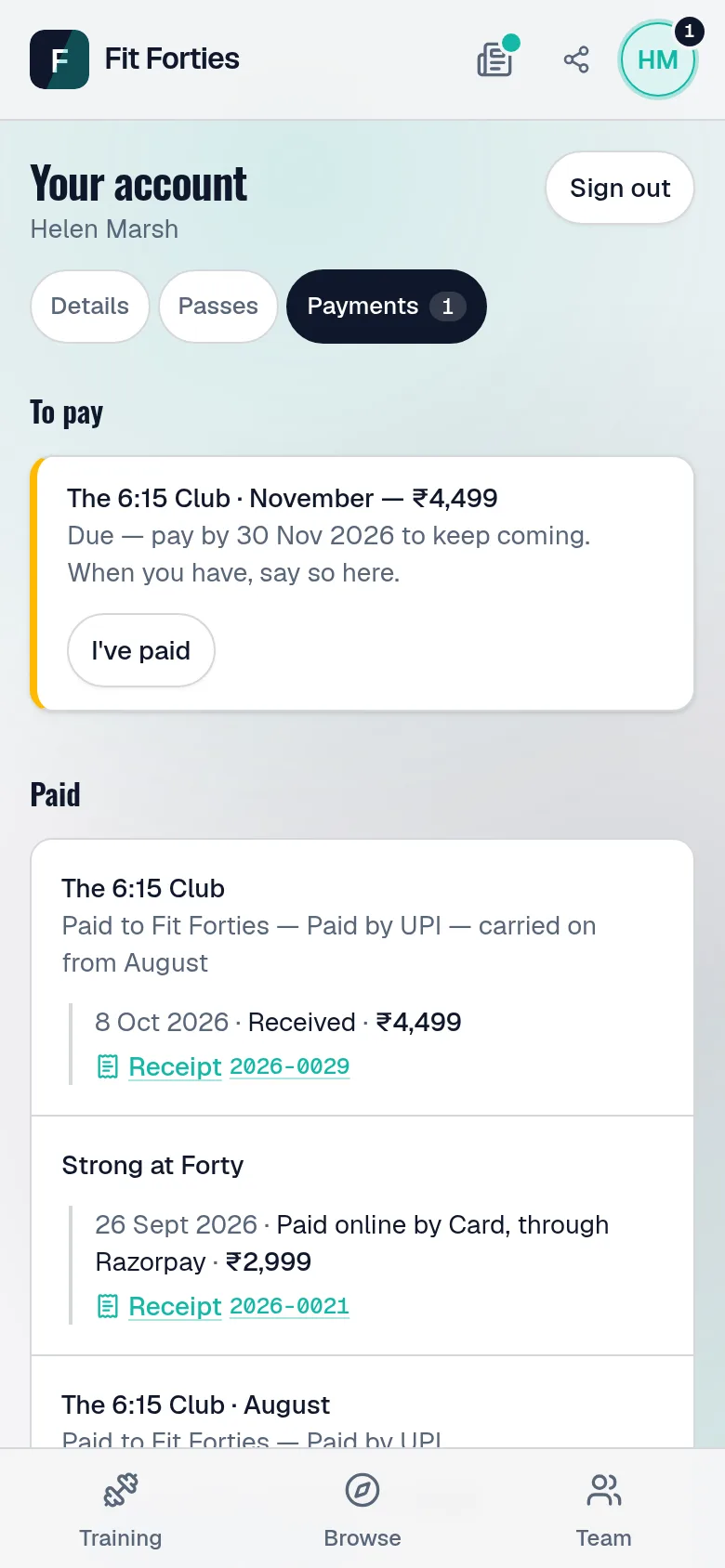
A pass to pay later says what is due and by when. They press I've paid with a word about how, and their place is held while you check; everything they've paid is listed with its receipt.

A member's own account: a payment due with I've paid, and everything they've paid, each with its receipt.

Your teachers

What a teacher sees

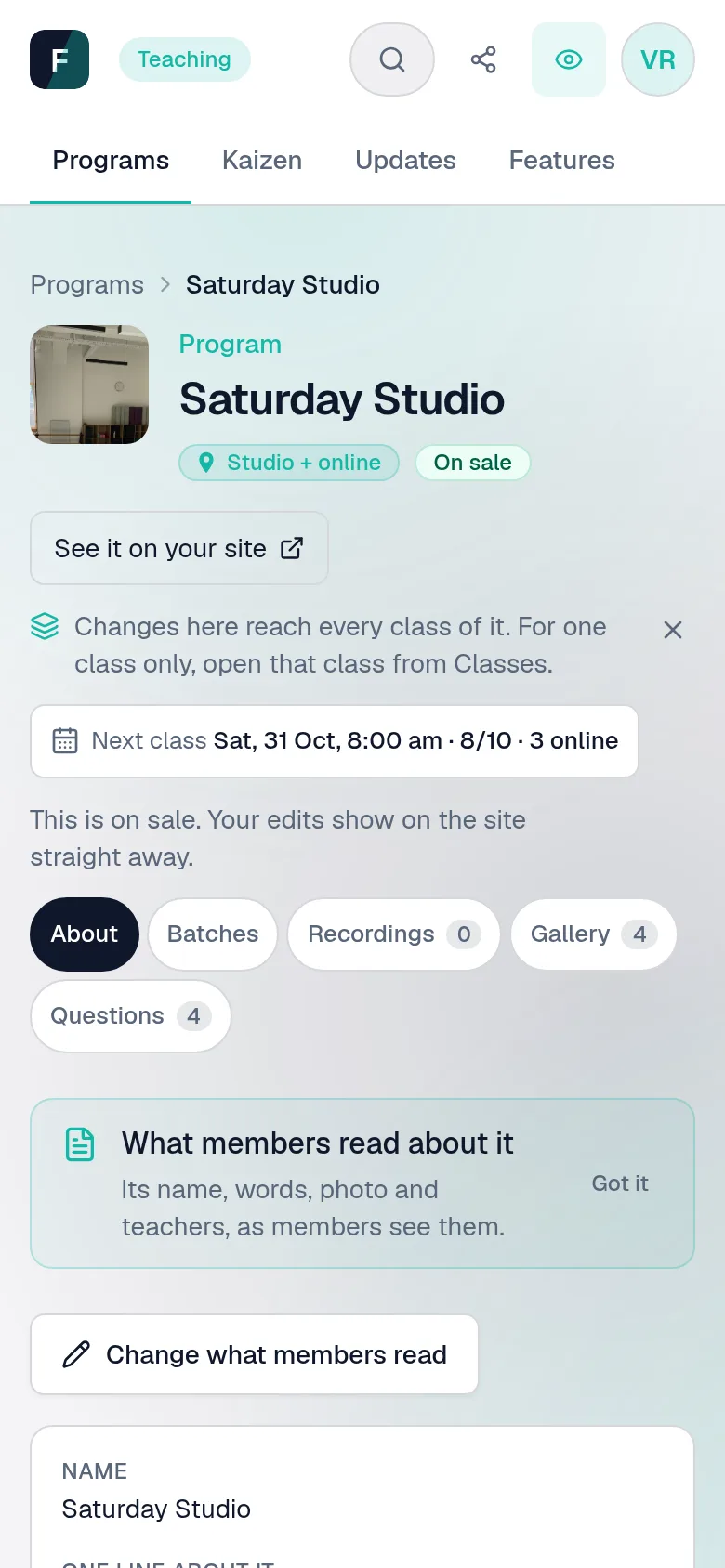
Signing in with the address on your team roster opens a studio cut down to the programmes they teach — their classes, their plans, their recordings. Prices and passes stay yours.

A teacher's view of a programme they teach: its words, classes, recordings, gallery and questions — no price, no settings.

Seen enough to want a closer look?

Want one of your own?